

Hunting for new tech tools that actually work can feel like searching for a needle in a digital haystack. I’ve tested more than 200 Ed Tech services this year to find the 10 most useful teaching tools for 2026. While 84% of high school students are already using AI for schoolwork, educators often struggle to find reliable tools that enhance rather than complicate remote instruction.
Teaching is evolving rapidly, especially in remote environments. Since 2015, I’ve been compiling annual guides to help teachers find the instructional technology tools they need to improve their work. This year is particularly exciting as nearly every technology tool for educators comes AI-enabled, designed to improve workflow, generate new ideas, and make everything look polished and professional. Moreover, with teachers handling countless documents like PDFs, articles, and curriculum resources, the right technology tools in the classroom have become essential, not optional.
Let’s explore 10 powerful tools that can make your remote classroom smarter, smoother, and more engaging in 2026.
Table of Contents
Pathwright

Image Source: WebCatalog
Pathwright stands out as an elegant learning management system that transforms teaching materials into step-by-step paths. This instructional technology tool has gained popularity with over 2 million teachers and learners embracing its streamlined approach.
Pathwright features
Pathwright revolves around three core components: Paths, Blocks, and Cohorts. The platform allows educators to outline learning paths with steps, compose those steps with interactive content blocks, and create personalized cohorts for collaborative learning. Additionally, teachers can integrate documents, videos, Zoom meetings, and quizzes into their courses, maintaining engagement through a mobile-responsive design that functions on any device.
Pathwright benefits for remote teaching
For remote educators, Pathwright offers remarkable advantages. The platform excels at converting content chaos into organized, sequential learning journeys. Furthermore, teachers can monitor progress visually through the Radar feature, identifying students who need extra support. The system also facilitates personalized mentorship through one-to-one guidance—whether teaching a single student or thousands.
Pathwright pricing
Pathwright offers three primary pricing tiers:
Starter: $99/month (1 staff member, up to 1,000 students)
Essentials: $199/month (5 staff members, custom domain)
Complete: $499/month (20 staff members, certificates, unlimited cohorts)
Pathwright best use cases
This technology tool for educators performs exceptionally well in education, nonprofits, healthcare, professional development, and technology sectors. It’s ideal for creating online courses, micro-learning modules, project-based learning, and professional development programs.
Figjam
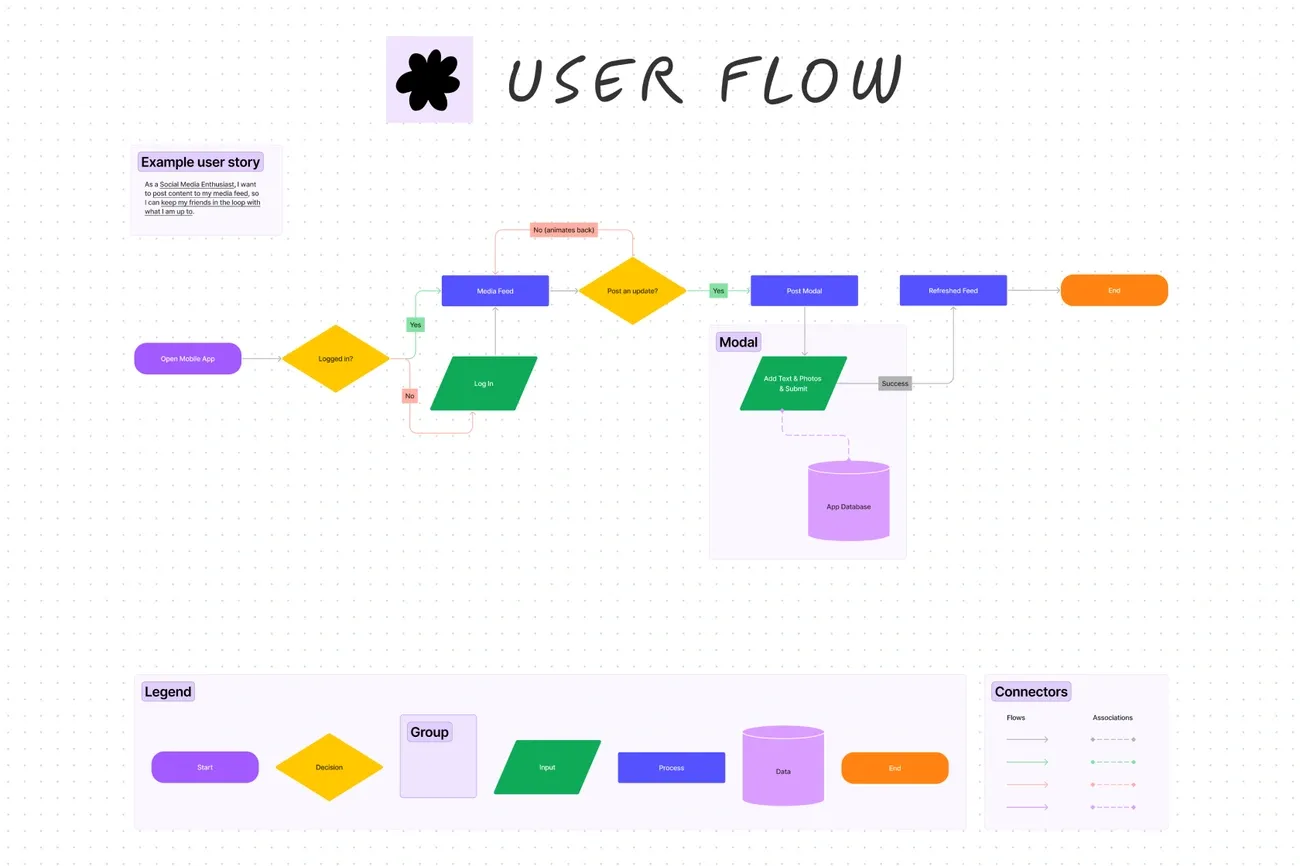
Image Source: Figma
FigJam transforms classroom collaboration as an online whiteboard where students and teachers can brainstorm, plan, and interact in real-time. Unlike traditional digital tools, this whiteboard fosters active participation through shared visual spaces.
Figjam features
FigJam comes equipped with interactive elements including sticky notes with authorship tracking, drawing tools, shapes with connectors for diagrams, and collaborative communication tools like audio chat and cursor chat. Students can express reactions through stamps, emotes, and high-fives, making remote learning more engaging. Teachers can utilize built-in timers, voting tools, and sections to organize content effectively.
Figjam benefits for remote teaching
For remote educators, FigJam excels at facilitating collaborative group learning and encouraging student participation. The platform enables teachers to create interactive learning environments through tools like stamps and stickers. Consequently, even quieter students find comfortable ways to express themselves in virtual classroom discussions.
Figjam pricing
FigJam offers free access for verified students and educators. For others, pricing starts at $5 per editor monthly (or $3 monthly with annual billing). The platform includes various plans from Starter (with three shared files) to Enterprise (with dedicated account management).
Figjam best use cases
FigJam shines in classroom brainstorming, visual thinking exercises, and group projects. Indeed, it’s ideal for collaborative activities like concept mapping, storyboarding, and annotating texts. The platform supports diverse teaching scenarios including icebreakers, debates, and formative assessments.
Gamma
Image Source: Tech & Learning
Gamma revolutionizes presentation creation with AI-powered technology that helps educators build dynamic, multimedia presentations, documents, and websites. This instructional technology tool functions like an enhanced PowerPoint but offers greater flexibility and real-time collaboration capabilities.
Gamma features
Gamma allows teachers to generate content through simple text prompts or by importing existing materials. The platform includes AI image generation, interactive embedding options for media like Spotify tracks and TikTok videos, and real-time collaborative editing. Users can easily change formatting, edit slides, and receive AI-suggested improvements with minimal effort.
Gamma benefits for remote teaching
Teachers report a 50% reduction in preparation time when creating presentations with Gamma. Besides saving time, the platform boosts student participation by 40% compared to traditional methods through interactive features like polls, quizzes, and Q&A sessions. The ability to publish content as a website instead of static slides creates more immersive learning experiences.
Gamma pricing
Gamma offers multiple tiers:
Free: 400 one-time AI credits, basic features, branded exports
Plus: $8/month (annual billing), 1,000 credits monthly, unbranded exports
Pro: $15-18/month, 4,000 credits monthly, premium features
Gamma best use cases
Gamma excels for creating engaging lessons, interactive assessments, study guides, and collaborative projects. It’s particularly valuable for microlearning and Universal Design for Learning approaches.
Genially
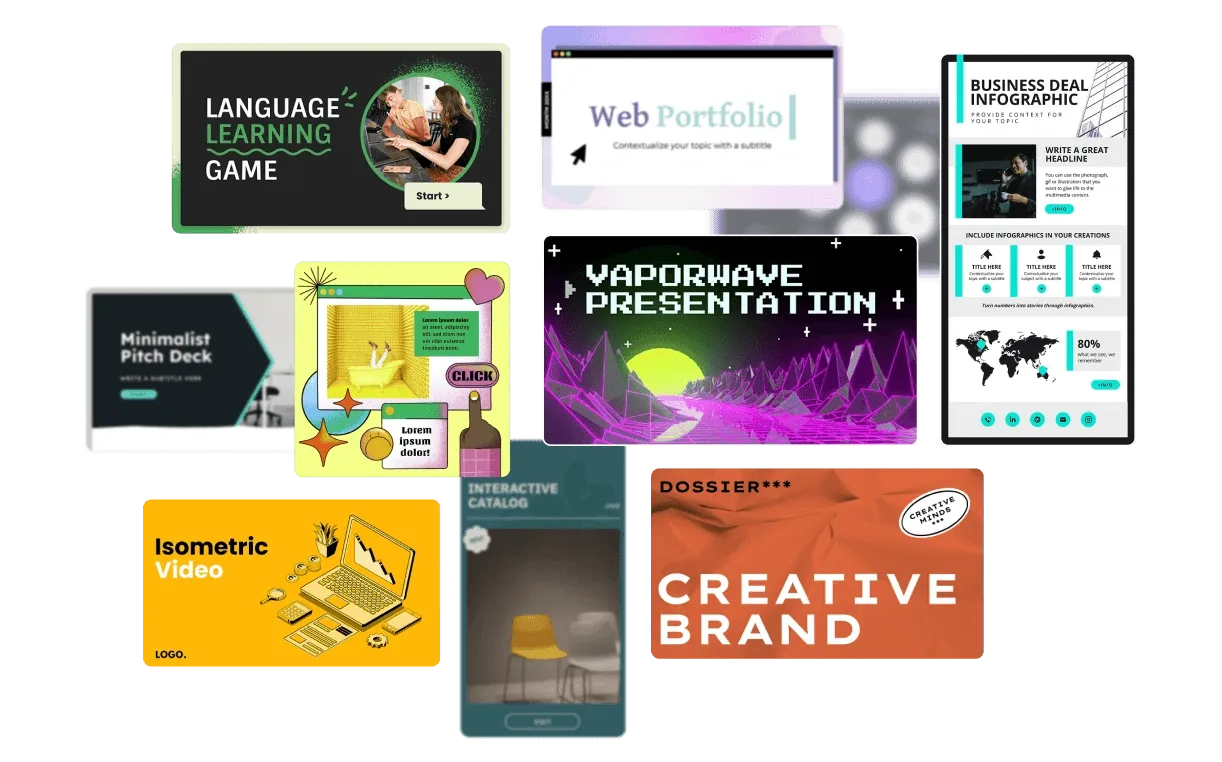
Image Source: Genially
Genially emerges as a powerhouse for creating interactive educational content that transforms static lessons into dynamic experiences. As a result, teachers can design engaging materials without coding knowledge or design expertise.
Genially features
Genially offers an impressive toolkit including intuitive design tools with pre-built templates, one-click interactions and animations, and specialized widgets for creating dynamic content and games. The platform includes a robust quiz builder for student assessment and audience engagement tools for hosting live polls and team games. In fact, Genially integrates AI features throughout the workflow to speed up content creation. Other notable features include gamification elements, live co-editing for collaboration, brand kits for consistent styling, and seamless integration with popular LMS platforms via SCORM and LTI.
Genially benefits for remote teaching
Notably, Genially excels in remote environments by allowing teachers to create diverse content types—from presentations to escape rooms—all in one platform. The ability to record audio explanations directly within creations provides a personal touch to remote instruction. Teachers can activate “Paint on the Genially” to transform presentations into interactive whiteboards. The platform supports embedding diverse content types including videos, 3D models, and virtual tours to strengthen lessons.
Genially pricing
Genially offers several pricing options:
Free: Basic features with limited exports
Pro: $15/month per user
Master: $25/month per user
Enterprise: Custom pricing for institutions
Genially best use cases
Genially primarily shines for creating interactive presentations, infographics, escape rooms, quizzes, and gamified learning experiences. The platform works excellently for flipped classroom scenarios, providing engaging pre-class materials. It’s equally valuable for developing e-learning resources with audio narration and interactive elements that maintain student engagement regardless of location.
NotebookLM
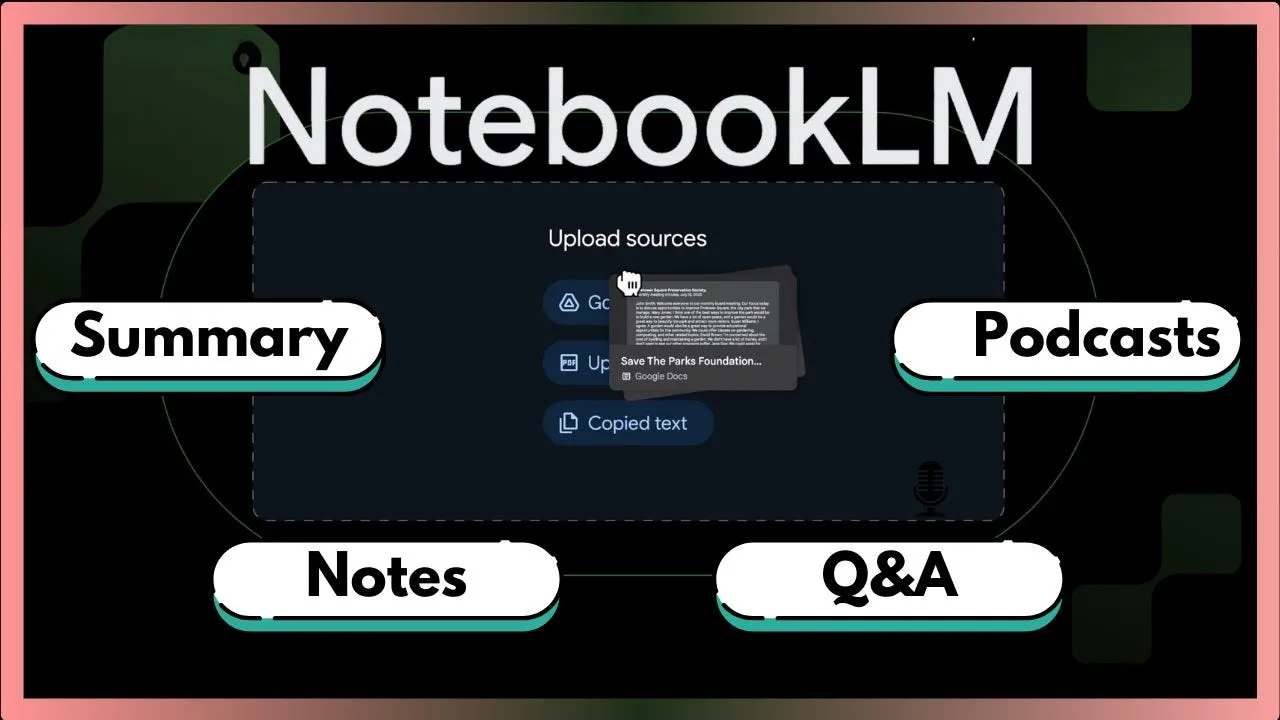
Image Source: Harshit Tyagi – Medium
Google’s NotebookLM serves as an AI-powered research assistant that transforms how teachers organize and understand information from multiple sources. This innovative tool anchors responses in teacher-uploaded content, making it an ideal companion for remote education environments.
NotebookLM features
NotebookLM analyzes uploaded materials using Google’s Gemini models. Teachers can upload various source types including PDFs, Google Docs, websites, YouTube videos, audio files, and images. The platform creates citations for every response, generating summaries, study guides, and interactive quizzes based on uploaded content. Its Audio Overview feature turns sources into podcast-style discussions for on-the-go learning.
NotebookLM benefits for remote teaching
For remote educators, NotebookLM offers substantial time savings. Students report learning faster with deeper understanding through its personalized explanations. Teachers can create study materials that students access directly through learning management systems like Canvas and Google Classroom. The platform supports over 50 languages, making it valuable for teaching non-English speakers or world language courses.
NotebookLM pricing
Free: 100 notebooks, 50 sources per notebook, 50 daily queries
Plus: 2× more generations than standard plan
Pro: 500 notebooks, 300 sources per notebook, 500 daily queries
Ultra: 50× more generations than standard plan, priority access
NotebookLM best use cases
NotebookLM excels at creating personalized study guides and flashcards. It helps educators analyze complex academic articles, prepare executive summaries, and generate audio/video overviews for flipped classrooms. The platform enables collaborative lesson planning through shared notebooks, streamlining document analysis for teacher professional development.
Claude Projects
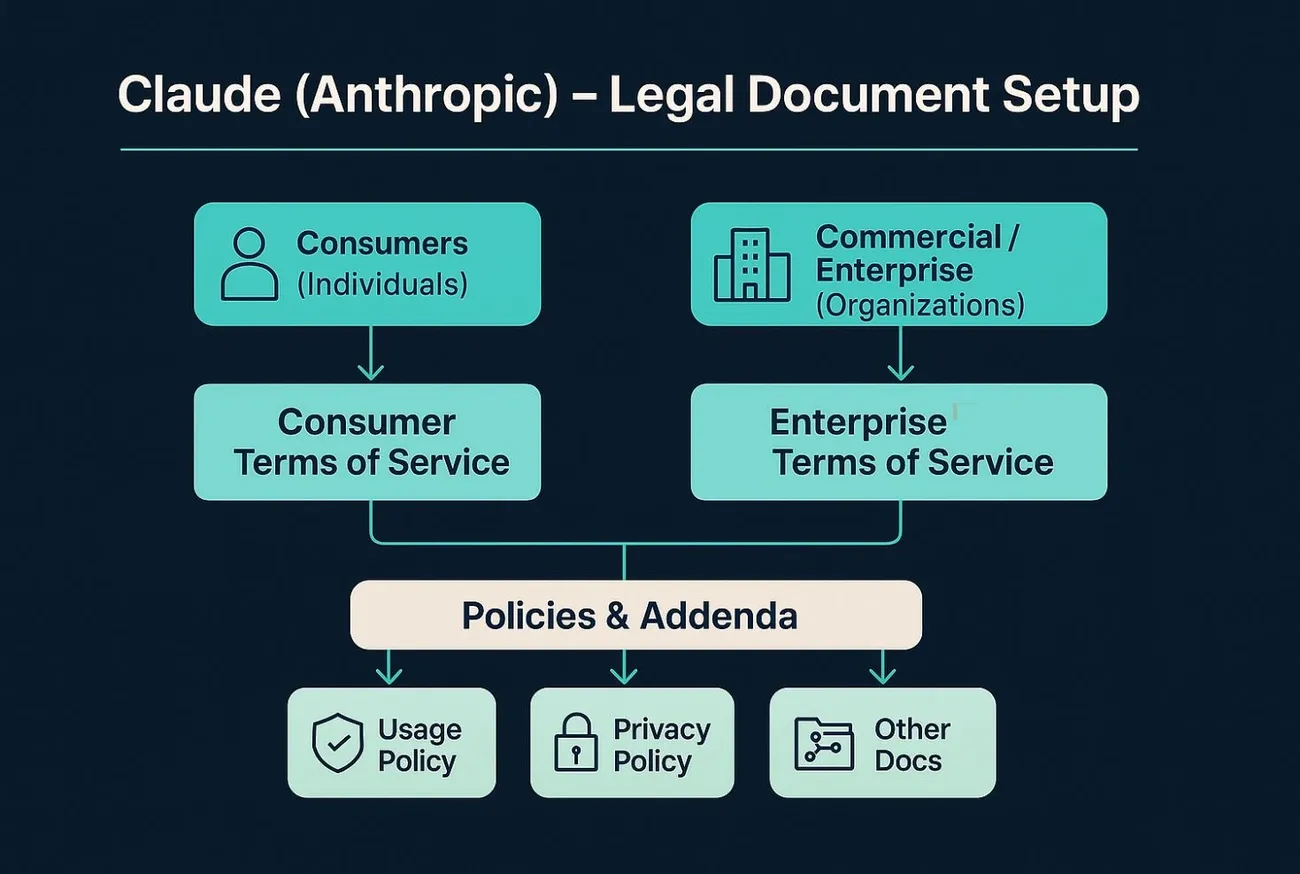
Image Source: AMST Legal
Anthropic’s Claude Projects elevates AI assistance into customized workspaces where educators can maintain ongoing conversations and resources. This technology tool creates persistent environments that remember context across multiple interactions.
Claude Projects features
Claude Projects functions as a specialized AI workspace with persistent memory for uploaded materials. Teachers can create custom instructions that Claude follows consistently, such as “always use 5th-grade language”. The platform supports role-based permissions with private, view-only, or edit access levels for team collaboration. Furthermore, it includes bulk email invitations, project visibility conversion options, and centralized project dashboards for organizing shared resources.
Claude Projects benefits for remote teaching
The platform’s Learning mode transforms how students engage with content by using Socratic questioning rather than providing immediate answers. Through guiding questions like “How would you approach this problem?” and “What evidence supports your conclusion?”, it encourages critical thinking. Moreover, Claude Projects maintains context across conversations, eliminating repetitive explanations.
Claude Projects pricing
Claude Projects requires a paid subscription:
Pro: USD 18.00 monthly
Team: USD 30.00 monthly (minimum 5 members)
Claude Projects best use cases
Claude excels in creating literature reviews with proper citations, providing step-by-step math guidance, and offering feedback on thesis statements. Teachers utilize it to develop rubrics aligned to learning outcomes, generate chemistry equations with varying difficulty levels, and convert dense policy documents into accessible formats. Primarily, it enhances academic departments’ curriculum development, research teams’ collaborative spaces, and student organizations’ planning tools.
Kahoot
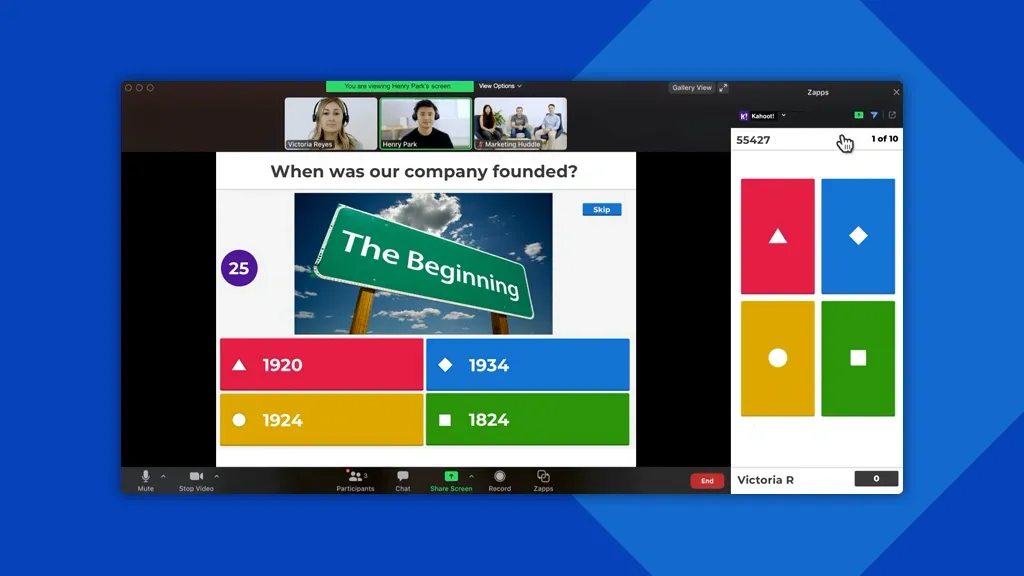
Image Source: Kahoot!
With over 8 million educators embracing Kahoot in just the past year, this gamified quiz platform has established itself as an essential tool for interactive assessment. Kahoot transforms traditional quizzes into engaging competitions that students genuinely enjoy.
Kahoot features
Kahoot offers diverse question types including multiple-choice, true/false, polls, puzzles, and word clouds. Teachers can create original content or choose from 100+ million ready-to-play games. The platform supports both synchronous live games displayed on shared screens and asynchronous student-paced challenges for homework. Kahoot’s reporting tools provide actionable insights into student progress, highlighting difficult questions that might require reteaching.
Kahoot benefits for remote teaching
During remote instruction, Kahoot maintains student engagement through virtual sessions via video conferencing tools. Studies reveal that 94.4% of participants felt positive about virtual Kahoot experiences. The platform provides immediate feedback after each question, allowing students to assess their knowledge and correct misconceptions. Furthermore, Kahoot’s timer adjustments help decrease guesswork and prioritize accuracy in remote settings.
Kahoot pricing
Kahoot offers multiple pricing options:
Free: Basic features with 10-participant limit
Kahoot!+ Bronze: Starting at €4/month
Kahoot!+ Silver/Gold: Advanced reporting and collaboration features
EDU: Institutional plans with LMS integration and SSO support
Kahoot best use cases
Primarily, Kahoot excels for formative assessment, providing real-time feedback that guides instruction. Teachers effectively use it for content review, exam preparation, and knowledge verification. According to LearnPlatform research, Kahoot satisfies ESSA Level III evidence requirements, confirming its effectiveness for improving student learning outcomes.
Padlet
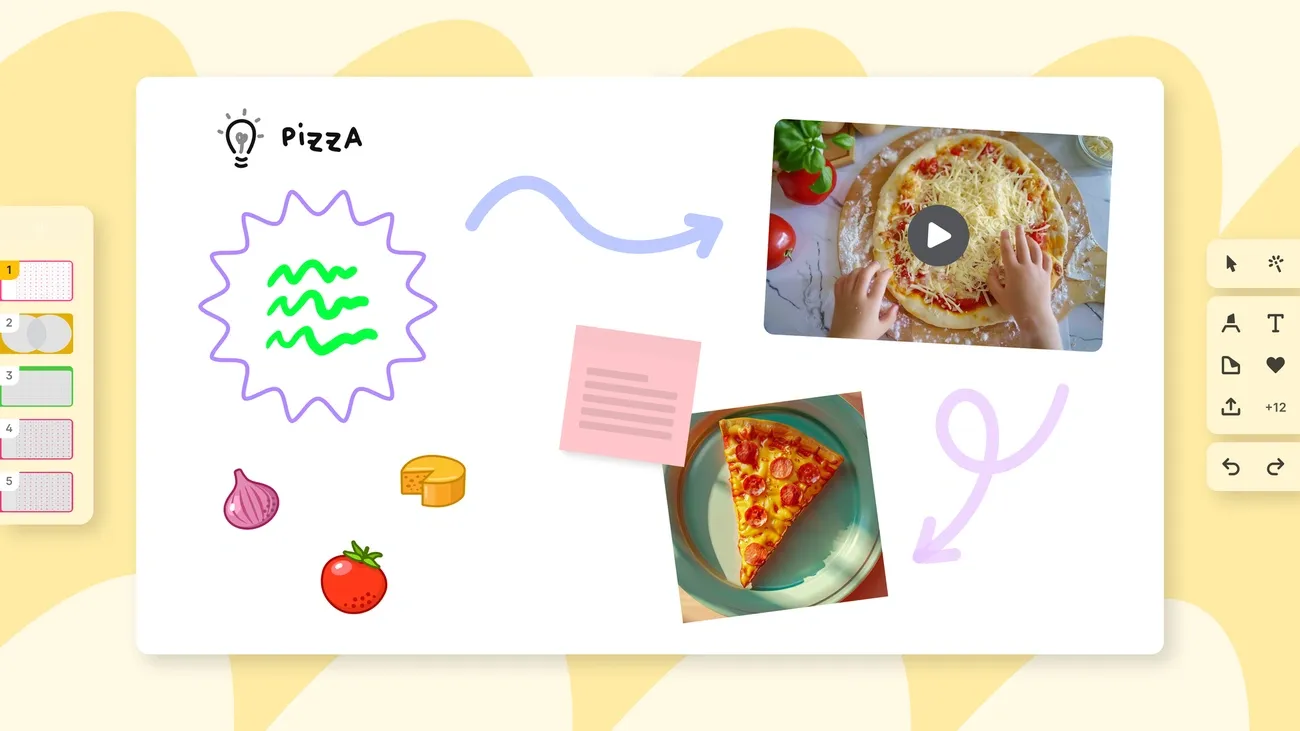
Image Source: Padlet Gazette
Padlet serves as an interactive digital bulletin board where educators and students collaborate through multimedia content sharing. This versatile platform has become a staple among teacher tech tools for its intuitive design and robust capabilities.
Padlet features
Padlet offers customizable layouts including walls, grids, streams, maps, and timelines to organize content effectively. Users can collaborate in real-time, adding text, images, videos, links, and more to personalized digital canvases. The platform provides privacy controls ranging from password protection to link-only access. Padlet recently added AI content generation through Magic Padlet, which creates lesson plans, timelines, reading lists, and assessment polls. Furthermore, the platform includes features like post freezing, pinning, and custom placeholders for clear instructions.
Padlet benefits for remote teaching
For remote instruction, Padlet enables both synchronous and asynchronous learning opportunities. The platform encourages participation from shy students through anonymous posting options. Teachers report that Padlet fosters student collaboration, helping them acquire electronic communication skills. Moreover, it serves as an effective backchannel for questions during live sessions and provides formative assessment capabilities through exit tickets and polls.
Padlet pricing
Padlet’s free tier allows up to 3 active padlets with 20MB file uploads. Premium plans include:
Pro: $8/month for unlimited padlets and folder organization
Classroom: $199/year for 2 teachers
School: Starting at $1000/year for 10 teachers
Padlet best use cases
This instructional technology tool excels at collaborative brainstorming, virtual book clubs, and peer feedback exchanges. Teachers effectively use it for formative assessments, mind mapping, and resource sharing. Additionally, Padlet functions well for creating social spaces where students can introduce themselves through video or text, building community in remote environments.
Craft
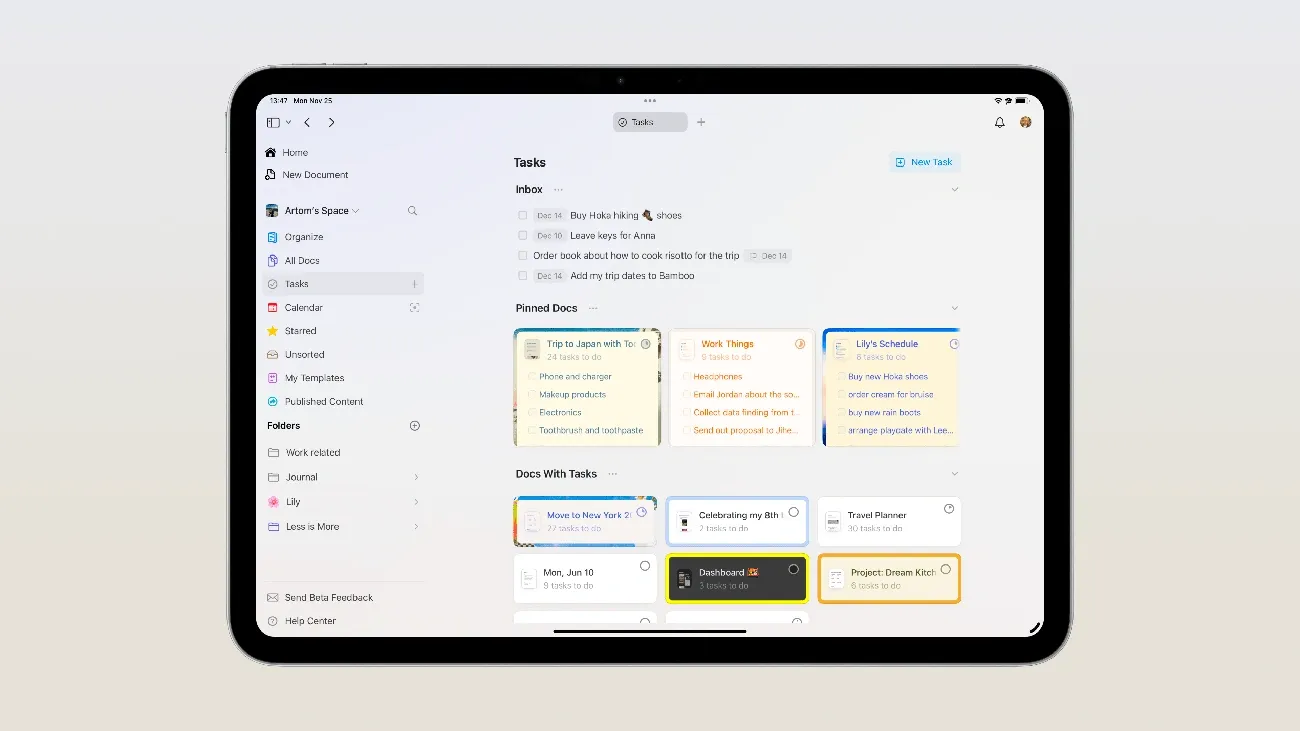
Image Source: Craft
Craft elevates document creation with a sleek interface that makes remote teaching materials both functional and visually appealing. This teacher tech tool has gained popularity among educators for its intuitive design and cross-platform functionality.
Craft features
Craft combines note-taking capabilities with visual elements, allowing teachers to create cards, pages within pages, and knowledge bases. The platform offers shortcuts for quick information access, daily notes with calendar integration, and operates with remarkable speed even when handling complex documents.
Craft benefits for remote teaching
For remote educators, Craft transforms mundane documentation into an engaging creative process. Chemistry PhD students report that Craft makes “taking notes fun because I have the excitement of feeling like I’m ‘creating’ whenever I write something down”. Furthermore, the platform remains accessible “on the go, on campus, or at home” with a consistent user experience across devices.
Craft pricing
Craft offers multiple pricing tiers:
Starter: Free (10 documents, 1GB storage, 25MB file uploads)
Plus: $10 monthly or $96 annually (unlimited documents, 5 spaces)
Family: $18 monthly or $180 annually (5 members, 5 spaces)
Education: Special pricing for enrolled students and faculty
Craft best use cases
This technology tool in the classroom excels at creating course materials, organizing research notes, and building collaborative knowledge bases. Nonetheless, it’s less optimal for complex project management.
Tally
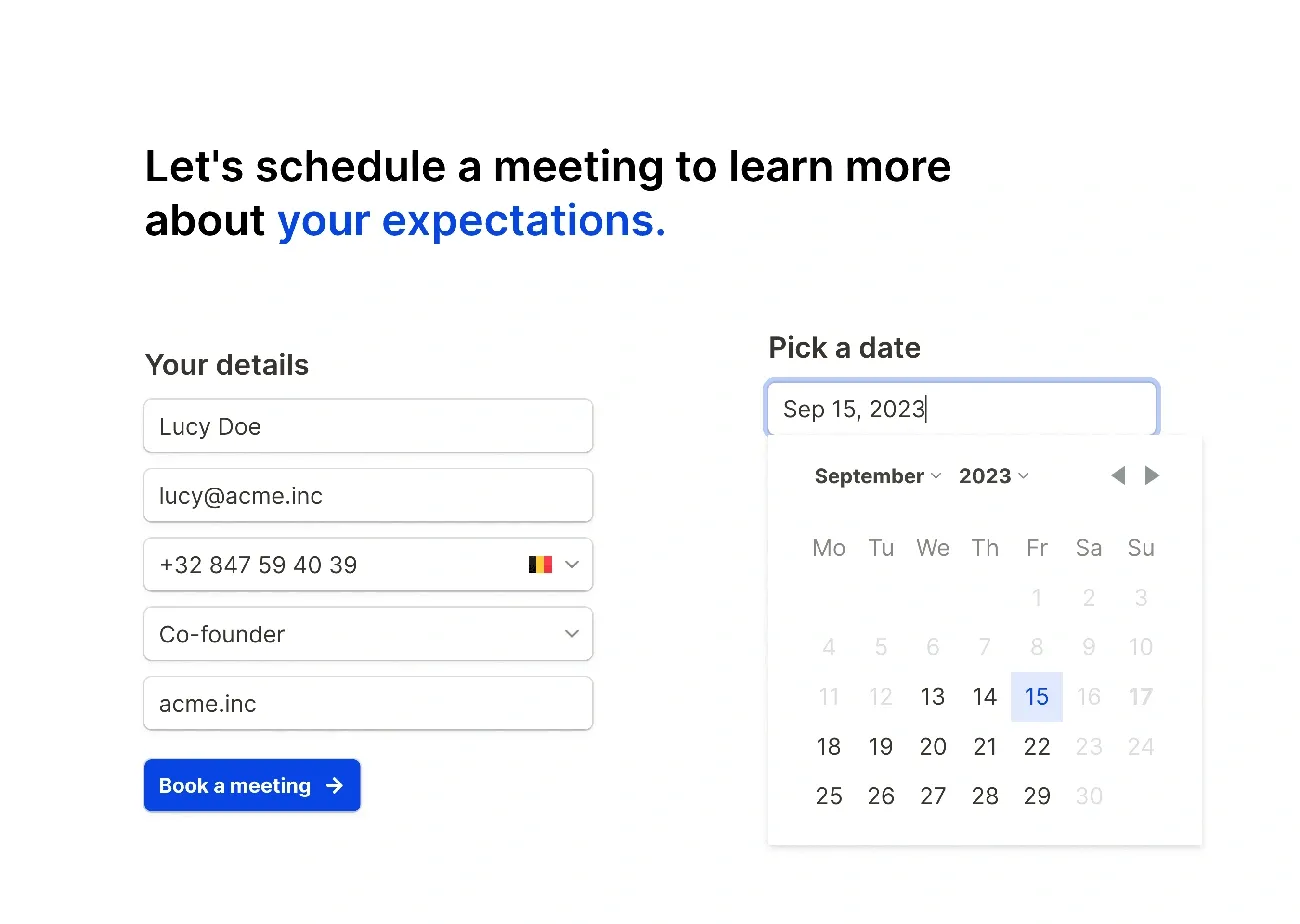
Image Source: tally.so
Tally simplifies data collection for educators, offering a streamlined approach to gathering and analyzing student information in remote learning environments. This behavioral data collection tool replaces traditional paper tracking methods with digital efficiency.
Tally features
Tally provides HIPAA and FERPA compliant data collection specifically designed for educational teams. The platform supports various data collection methods including ABC data, frequency tracking, duration monitoring, and interval recording. Teachers benefit from IEP-ready reports that can be exported to PDF format for meetings and parent updates. Tally works across multiple platforms—Chromebooks, iOS, Android, and web browsers—and maintains functionality even offline, synchronizing data once connectivity returns.
Tally benefits for remote teaching
Initially, Tally transforms manual data tracking into an automated process, allowing teachers to focus on instruction rather than paperwork. The platform enables multiple team members to track the same student simultaneously through student sharing capabilities. Furthermore, role-based access controls give administrators precise management over who can view specific student information.
Tally pricing
Tally offers straightforward education-focused pricing:
$8 per student monthly (billed annually at $80/student/year)
$800 annually for 10 students
$2,000 annually for 25 students
$4,000 annually for 50 students
Tally best use cases
Primarily, Tally excels in special education environments, supporting BCBAs, paraprofessionals, and behavior specialists. The tool facilitates comprehensive student behavioral tracking, generating analytics-ready data for educational decision-making.
Comparison Table
|
Tool |
Core Features |
Key Benefits for Remote Teaching |
Pricing |
Best Use Cases |
|
Pathwright |
– Paths, Blocks, and Cohorts system |
– Converts content into organized learning journeys |
– Starter: $99/mo |
– Online courses |
|
Figjam |
– Interactive sticky notes |
– Facilitates collaborative group learning |
– Free for students/educators |
– Classroom brainstorming |
|
Gamma |
– AI content generation |
– 50% reduction in prep time |
– Free tier |
– Engaging lessons |
|
Genially |
– Pre-built templates |
– Diverse content creation |
– Free tier |
– Interactive presentations |
|
NotebookLM |
– Multiple source analysis |
– Time savings |
– Free: 100 notebooks |
– Study guide creation |
|
Claude Projects |
– Persistent memory |
– Socratic questioning approach |
– Pro: $18/mo |
– Literature reviews |
|
Kahoot |
– Multiple question types |
– Virtual session integration |
– Free tier |
– Formative assessment |
|
Padlet |
– Multiple layout options |
– Sync/async learning support |
– Free: 3 padlets |
– Collaborative brainstorming |
|
Craft |
– Nested pages |
– Engaging documentation |
– Free: 10 docs |
– Course materials |
|
Tally |
– HIPAA/FERPA compliant |
– Automated data tracking |
– $8/student/mo |
– Special education |
New Tech Tools: Conclusion
Finding the right technology tools has become essential for educators navigating remote teaching challenges. Throughout this guide, we’ve explored ten powerful platforms that actually deliver results rather than just promises. These tools represent a significant shift toward AI-enhanced education while maintaining focus on what truly matters – student engagement and learning outcomes.
Looking back at our exploration, several key themes emerge. First, AI integration now permeates virtually every aspect of educational technology, from Gamma’s presentation creation to NotebookLM’s research assistance. Second, these platforms prioritize collaboration despite physical distance, evidenced by Figjam’s interactive whiteboard and Padlet’s multimedia sharing capabilities. Third, data-driven insights appear consistently across tools like Kahoot and Tally, helping teachers make informed decisions about student progress.
Remote teaching demands flexible solutions that work across devices and learning environments. Accordingly, each tool we’ve examined offers unique advantages depending on your specific needs. Pathwright excels at organizing sequential learning journeys, while Claude Projects creates persistent workspaces that remember context across multiple interactions.
Though implementing new technology initially requires time investment, these platforms ultimately save countless hours through streamlined workflows and automation. The comparison table provides a quick reference to help you identify which tools align with your teaching style and classroom requirements.
Remember that technology should enhance rather than replace effective teaching practices. The best approach often combines multiple tools strategically – perhaps using Genially for engaging lesson materials, Kahoot for formative assessment, and Tally for tracking student progress. As remote and hybrid teaching continue evolving, these ten tools stand ready to support educators through whatever challenges 2026 brings.
What tech tools have transformed your remote teaching practice? Try incorporating one new platform from this list and watch how it might revolutionize your virtual classroom experience.
✨ Notie AI – The AI that corrects your papers

