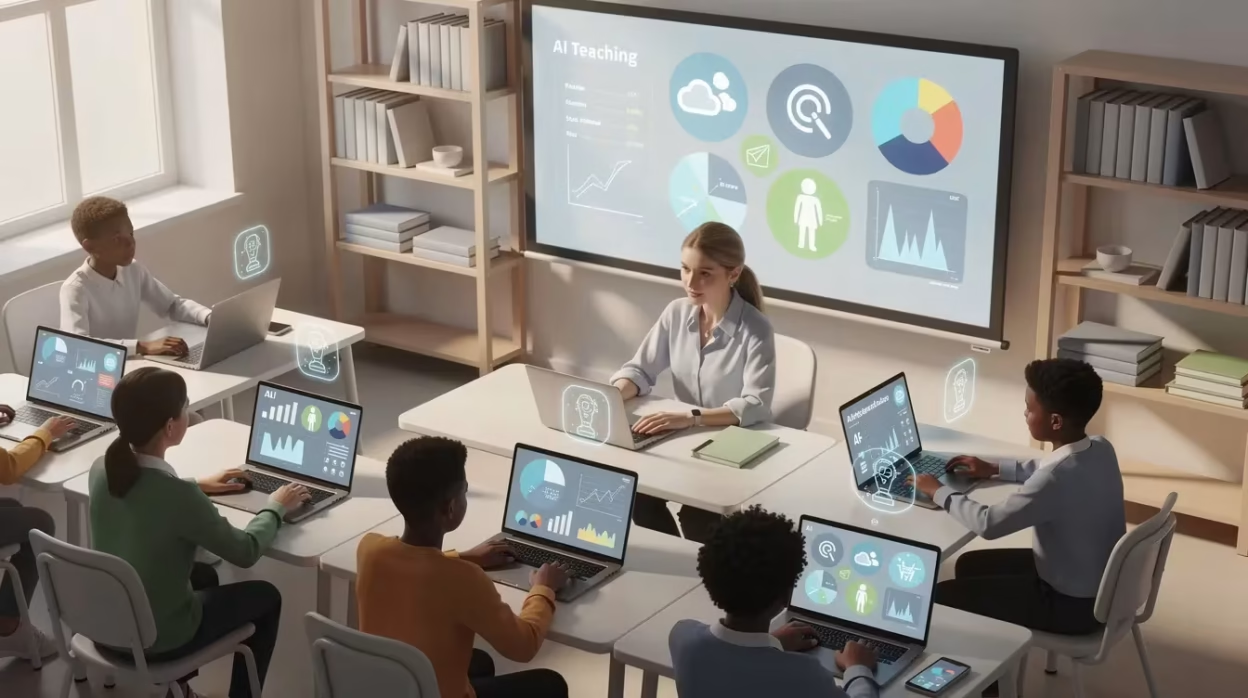
Imagine reclaiming hours every week previously lost to grading, lesson planning, and administrative tasks—all while enhancing your students’ learning experience. For teachers navigating the evolving classroom landscape, artificial intelligence edu offers powerful tools designed to lighten your workload and amplify your impact. This guide is crafted specifically for educators eager to harness AI’s potential responsibly and effectively, transforming challenges into opportunities in 2026 and beyond.
Key Takeaways
- Artificial intelligence edu tools can save teachers 50-70% of time spent on grading, lesson planning, and assessment creation—translating to several hours returned each week
- Edu artificial intelligence works best as a teaching assistant, not a replacement for your professional judgment, relationships, or classroom expertise
- AI grading tools like Notie AI, MagicSchool AI, Brisk Teaching, and Eduaide already support real classrooms from elementary through university with rubric-aligned feedback
- Data privacy, academic integrity, and transparency with students and families must be built into every AI workflow you adopt
- The biggest challenges teachers face when integrating AI include ethical concerns, technological limitations, and institutional hurdles that must be addressed for successful adoption.
- Any teacher can start small this term—pilot AI for one unit’s assessments or one class’s writing feedback, then scale based on clear outcomes
- Understanding and managing the risks associated with AI adoption in education—such as bias, privacy issues, and ethical implications—is essential for responsible and effective use.
Table of Contents
Introduction: Why Artificial Intelligence Edu Matters for Teachers in 2026
Picture this: it’s Tuesday evening, and instead of facing a stack of 120 persuasive essays, you’ve already returned rubric-aligned feedback to your students. Your Sunday planning session? Down from four hours to ninety minutes. This isn’t a fantasy—it’s the reality for teachers who’ve integrated artificial intelligence into their workflows.
Since generative AI went mainstream after 2023, schools have experienced a significant shift in educational paradigms due to AI integration. Most districts moved from outright AI bans to structured adoption policies by 2024-2025. Research from organizations like EDUCAUSE shows that 53% of K-12 districts implementing generative AI now cite teacher support as their primary focus.
Let’s define our terms: artificial intelligence edu and edu artificial intelligence refer to the ecosystem of AI tools, practices, and policies designed to support teaching and learning. This guide focuses entirely on what these tools mean for you—the classroom teacher, department chair, or instructional coach looking for practical implementation strategies.
We’ll cover the current state of AI in education, practical use cases across grade levels, grading and feedback tools (with emphasis on Notie AI), lesson planning supports, ethical considerations, and a step-by-step implementation approach. As you read, you’ll have the opportunity to explore practical strategies and real-world use cases for integrating AI in education.

AI in Education Today: What Teachers Need to Know
The landscape has transformed. Tools are now integrated directly into learning management systems like Canvas, Google Classroom, and Microsoft Teams. Both higher education and K-12 systems are navigating AI for assessment, academic integrity, and accessibility—though adoption patterns vary widely. Many AI tools are rooted in computer science principles and are increasingly integrated into campus technology ecosystems in higher education, including specialized AI grading platforms built specifically for teachers.
Here’s what you need to understand about how current AI works: large language models and generative AI identify patterns in massive datasets. Unlike traditional software, these systems learn from data rather than relying on explicit programming. They don’t “think” the way we do. This matters for reliability because AI can produce confident-sounding errors (hallucinations) and may reflect biases present in training data.
Two types of AI tools you’ll encounter:
| Type | Examples | Best For |
|---|---|---|
| Traditional/Predictive AI | Automatic multiple-choice scoring, plagiarism detection | Routine tasks with clear right/wrong answers |
| Generative AI | Lesson plans, rubrics, feedback comments, parent emails | Creative drafting that teachers review and refine |
Typical adoption patterns show early adopters experimenting with MagicSchool AI, Brisk Teaching, Eduaide, and Notie AI. Some colleagues remain cautious about academic integrity and job implications. Administrators often focus on risk management and policy alignment. All perspectives are valid—and all can coexist with thoughtful implementation.
Practical Classroom Use Cases for Teachers (K-12 and Higher Ed)
The goal here is time-savings and instructional quality, not novelty. Let me walk you through concrete examples across grade levels.
AI tools help students build knowledge through personalized learning experiences, adapting content and feedback to individual needs.
Elementary (K-5):
- AI-generated reading comprehension questions aligned to specific Lexile bands
- Picture prompts for narrative writing tailored to age-appropriate themes
- SEL reflection prompts customized to your class routines
Middle School (6-8):
- Multi-step math problems with worked solutions for different ability levels
- Science exit tickets generated immediately after labs
- Question banks mapped directly to NGSS or local standards
For upper grades, high school teachers often need tools tuned to AP-level rigor and complex writing demands, which is where AI support tailored for high school teachers becomes especially valuable.
High School (9-12):
- Socratic seminar questions for literature units
- Primary-source DBQ prompts for social studies
- Differentiated practice sets for algebra and physics concepts
- AI systems use perception to interpret data, such as recognizing images in biology labs or understanding language in essay analysis.
For colleges and universities, instructors can speed up marking long-form written work with AI tools that instantly grade handwritten assignments across many subjects.
Higher Education:
- AI-generated case studies for teacher education or nursing programs
- Automated formative quizzes embedded in LMS courses
- Practice problems with varying difficulty levels for introductory STEM
- Advanced AI models apply perception to analyze complex datasets, supporting research and deepening students’ knowledge of artificial intelligence concepts.
The critical point: you retain control. Edit AI output, align to your standards, adjust language for your learners. Never accept AI content uncritically.
Successful implementation of AI in classrooms depends on having the right digital infrastructure to support accessibility, reliability, and effective integration.
Generative AI in the Classroom
Generative AI is rapidly becoming an integral part of the modern classroom, offering teachers and students new ways to interact with information and enhance the learning experience. By harnessing advanced AI technologies such as natural language processing and machine learning, educators can now automate time-consuming tasks, create personalized lesson plans, and provide real-time feedback tailored to each student’s needs. For example, generative AI tools can instantly generate differentiated reading passages, design custom quizzes, or even translate classroom materials into multiple languages—making learning more accessible and inclusive for all students.
Beyond language translation, generative AI excels at image recognition, enabling teachers to quickly analyze student work, assess visual projects, or support students with special needs. These AI systems can also help streamline administrative tasks, such as grading and attendance tracking, freeing up valuable time for teachers to focus on high-impact activities like mentoring, coaching, and fostering critical thinking.
However, the integration of generative AI in the classroom brings important considerations. Data security and language understanding are paramount—educators must establish clear guidelines to protect student information and ensure that AI tools are used appropriately. It’s essential to regularly review AI-generated content for accuracy and bias, and to involve students in discussions about the ethical use of AI technologies. By setting protocols for responsible deployment, teachers can mitigate risks and build trust with students and families.
Looking ahead, the implications of generative AI extend far beyond the classroom. As AI continues to shape the future of work and learning, students will need to develop digital literacy, adaptability, and a strong understanding of how AI systems operate. By thoughtfully integrating generative AI into teaching, research, and classroom activities, educators can prepare students to thrive in an AI-driven world—empowering them with the skills and knowledge needed to succeed in a rapidly evolving landscape.
AI Grading and Feedback: How Notie AI and Other Tools Save Teachers Hours
Grading remains the single most time-consuming task for teachers in writing-heavy courses. AI transforms this bottleneck.
The old workflow: Stacks of essays consuming weekends. Spreadsheet-based rubric scoring. Manually copying similar comments across dozens of papers.
The AI-enhanced workflow: Tools provide first-draft scores and narrative feedback. You review, adjust, and finalize in a fraction of the time.
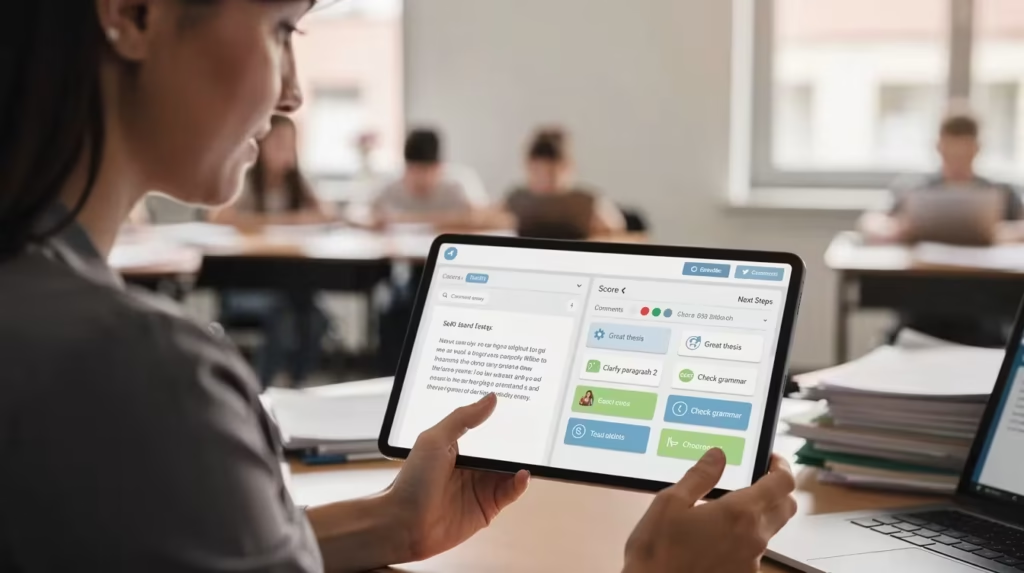
Notie AI works straightforwardly from a teacher’s perspective: upload or sync assignments from your LMS, attach your rubrics or standards, let the system generate draft scores and feedback in about 30 seconds with instant AI grading, then quickly review and override where needed. The efficiency of these grading tools is made possible by advances in computational power, which allow for rapid processing of large volumes of student work. Robust computer systems are essential for running the algorithms that generate feedback and scores. The system handles the heavy lifting; you make the final calls.
Batch grading is particularly powerful when you can process an entire class set at once using batch grading to handle 30 papers in minutes.
Real classroom examples:
- A high school English teacher returning rubric-aligned feedback on 120 persuasive essays in one evening
- A community college instructor grading weekly reflection journals efficiently
- A middle school social studies teacher assessing DBQ paragraphs with consistent standards-based feedback
Complementary tools like MagicSchool AI’s rubric generators, Brisk Teaching’s Google Classroom integration, and Eduaide’s formative assessment features round out the ecosystem. For many teachers, modern AI grading tools that cut grading time by 50% or more are becoming essential infrastructure. Notie AI stands out as the most focused solution specifically built for grading efficiency.
Best practices for reliability:
- Spot-check a sample of AI-graded work each assignment
- Calibrate AI scores against department norms
- Always preserve your authority to override machine judgments
AI for Lesson Planning, Differentiation, and Classroom Materials
Many teachers first encounter artificial intelligence edu tools through lesson planning aids. These can transform curriculum documents into concrete daily plans, slides, and handouts using a comprehensive AI teaching platform for grading and content creation. Many of these tools are the result of ongoing AI research focused on improving educational outcomes.
Tools like MagicSchool AI, Eduaide, and Brisk Teaching turn standards (Common Core, NGSS, state standards) into lesson objectives, success criteria, and activity sequences for specific grade bands. MagicSchool AI alone offers 60+ purpose-built tools for educators.
Differentiation workflows to try:
- Adapt the same text to multiple reading levels
- Generate scaffolded math problems for mixed-ability groups
- Create extension tasks for advanced learners alongside additional practice for struggling students
Material creation possibilities:
- Draft slide decks and graphic organizers
- Generate lab instructions or reading passages
- Create bell-ringer questions you then refine for your context
The time-saving potential is real: reducing Sunday planning from four hours to ninety minutes. But remember—AI plans must be checked against your available resources, classroom constraints, and students’ actual needs.
Build repeatable prompts (“Create a 50-minute lesson for Grade 8 science on…”) and save effective materials in shared department repositories. Collaborate with other stakeholders, such as industry partners or community organizations, to further enhance and diversify your lesson planning resources.
Data Scientist Insights for Educators
Behind every effective AI-powered classroom tool is a team of data scientists working to ensure these technologies are deployed responsibly and ethically. Data scientists collaborate with educators to design AI systems that analyze student data, generate actionable insights, and ultimately improve learning outcomes. Their expertise is crucial in establishing guidelines for the appropriate use of AI tools, ensuring that data privacy and security are always top priorities.
For example, data scientists help schools develop clear protocols for using AI in the classroom—such as when to use AI-powered chatbots for student support or how to implement automated grading systems without compromising academic integrity. They also play a key role in monitoring AI systems for bias, ensuring that all students benefit equitably from these technologies.
By working closely with educators, data scientists help create a culture of transparency and trust around AI in education. They provide the technical know-how to safeguard sensitive information, develop robust data privacy policies, and ensure AI tools are used in ways that genuinely enhance teaching and learning. This partnership is essential for building AI systems that are not only powerful, but also ethical and aligned with the values of the educational community.
Ethical and Pedagogical Considerations for Teachers Using AI
Let’s address legitimate concerns about academic integrity, equity, privacy, governance, and the risk of undermining critical thinking. Responsible governance frameworks are essential to ensure the ethical and effective use of artificial intelligence in education.
Academic integrity: Design assignments emphasizing process—drafts, reflections, oral defenses, in-class components. This approach proves more reliable than AI detectors, which remain inconsistent.
Privacy and data protection:
- Check district policies before pasting student work into external tools
- Avoid including personally identifiable information
- Prefer tools offering FERPA/GDPR-aligned protections
- Establish guidelines for ethical and secure AI deployment to protect student privacy and ensure compliance with regulations
- Data security is a key concern when using AI tools that process student information; always safeguard sensitive data
Bias and equity: AI models reflect their training data. Watch for biased language or assumptions in AI-generated materials. Use this as an opportunity to teach media literacy and critical evaluation.
Pedagogical balance: Use AI for low-level tasks (formatting, first-draft questions, basic feedback) while preserving time for conferencing, relationship-building, and higher-order discussion—the work only humans can do.
Be transparent with students, families, and administrators about when and how you use AI. Reassure stakeholders that you make all final decisions.
Implementation Tips: How Teachers Can Get Started with Edu Artificial Intelligence
You don’t need to be a tech person. Start with one or two low-risk workflows and iterate.
Recommended starting points:
- Rewrite or differentiate existing materials
- Draft formative assessment questions
- Create feedback templates
A phased approach:
| Phase | Focus | Risk Level |
|---|---|---|
| 1 | Personal productivity experiments | Low |
| 2 | Classroom materials (no student data) | Low |
| 3 | Piloted grading/feedback with tools like Notie AI | Medium |
Collaboration structures that work:
- Department-level prompt libraries
- PLC meetings for sharing AI successes and failures
- Cross-grade teams aligning on ethical guidelines
Document everything: time saved, student outcome changes, workload perceptions. This builds your case for broader adoption and professional development support.

How Teachers Can Prepare Students for an AI-Driven World
As artificial intelligence continues to become an integral part of our society, preparing students for an AI-driven world is one of the most important challenges facing educators today. This means going beyond simply using AI tools in the classroom—it requires a deliberate focus on developing both technical and human skills that will empower students to thrive alongside intelligent systems.
Educators can start by integrating AI technologies into their teaching practices, giving students hands-on experience with the kinds of tools and systems they’ll encounter in the real world. At the same time, it’s essential to emphasize the enduring value of human intelligence: critical thinking, creativity, and problem solving remain at the heart of effective learning and innovation.
To ensure students are ready for the future, teachers should also prioritize skills like data analysis, programming, and digital literacy. These competencies are increasingly vital for navigating a world where AI systems play a central role in everything from healthcare to business to education itself. By fostering a balanced approach—where students learn to work with AI while also developing their own unique strengths—educators can help the next generation succeed in a rapidly evolving, AI-powered world.
Notie AI as the Go-To Solution for AI Grading in Education
Notie AI is purpose-built for teachers who need efficient, transparent grading—not a general-purpose AI that happens to grade papers, with an AI essay grader that delivers instant, rubric-aligned feedback.
Key capabilities from a teacher’s perspective:
- Import student work directly from common LMSs
- Attach custom rubrics aligned to your standards
- Generate rubric-aligned scores and narrative comments
- Access standards-based analytics
- Export grades back to your gradebook
Who’s using it successfully:
- A Grade 5 teacher assessing narrative writing
- A high school history teacher grading document-based questions
- A university instructor managing weekly reflection journals across large lecture courses
Notie AI supports your professional judgment. Using its AI grading for teachers that snaps photos and grades fast, you can adjust scores and comments easily, calibrate AI feedback with exemplar papers, and run periodic spot-checks to ensure alignment with your standards.
The broader ecosystem still matters: continue using MagicSchool AI, Brisk Teaching, and Eduaide for planning and materials. Notie AI serves as your central engine for grading efficiency.
Imagine what you could do with several hours returned each week. More small-group conferencing. More parent communication. More thoughtful curriculum design. Notie AI offers a practical path to reclaiming that time.
Frequently Asked Questions
How can I use AI in my teaching if my school’s policy is still unclear?
Start with policy-neutral uses: personal brainstorming, drafting lesson ideas, or generating practice questions without involving student data or grading decisions. Ask your administrator for written guidance and document your early experiments—time saved, improved materials—to inform future policy discussions.
What’s the best way to talk to students about my use of AI for grading or feedback?
Be transparent but reassuring. Explain that AI provides a “first read” to speed up feedback while you make all final grading decisions. Show anonymized examples of AI feedback alongside your revisions to model critical use of technology.
How do I prevent students from over-relying on AI tools instead of thinking for themselves?
Design assignments emphasizing process: drafts, reflections, oral defenses, and in-class components. Explicitly teach AI literacy—how to use tools for idea generation without outsourcing cognitive work. Include periodic AI-free assessments to calibrate student skills.
Do I need advanced technical skills to use Notie AI or other edu artificial intelligence tools?
No. Most teacher-facing AI tools use simple web interfaces similar to existing platforms. The main learning curve is pedagogical—deciding where AI fits your practice and how to review its output. Start with vendor tutorials and peer coaching.
How can I evaluate whether an AI tool is worth adopting?
Use this checklist: alignment with instructional goals, data privacy assurances, ease of use, evidence of impact, and support for teacher control. Run a short pilot—one unit, one class—with clear metrics before scaling.
Conclusion and Future Directions
Artificial intelligence is no longer a distant concept—it’s a transformative force reshaping education, healthcare, and the workforce. As AI systems become an increasingly integral part of our daily lives, the challenge for educators and other stakeholders is to ensure that these technologies are developed and deployed responsibly, with a focus on transparency, ethics, and accountability.
The promise of artificial intelligence in education is immense: from personalized learning and improved outcomes to greater efficiency and innovation in teaching and research. Yet, as AI continues to evolve, it brings with it significant risks and challenges. Issues such as data privacy, bias in decision-making, and the potential for job displacement require careful attention and proactive governance. Establishing clear guidelines and robust data privacy measures is essential to ensure AI is used ethically and that student information remains secure.
To fully realize the benefits of artificial intelligence ai, collaboration across disciplines is key. Educators, policymakers, data scientists, and industry leaders must work together to develop interdisciplinary approaches to AI research, curriculum design, and workforce development. This includes creating educational programs that foster both technical skills and human intelligence—critical thinking, creativity, and ethical reasoning—so that students are prepared for the complex problems and opportunities of the future.
As we look ahead, AI’s role in the classroom and beyond will only grow. By embracing innovation while remaining vigilant about the risks, we can ensure that AI systems are deployed responsibly and that their benefits are shared equitably. The future of AI in education is bright, provided we continue to prioritize human values, establish strong guidelines, and commit to ongoing learning and adaptation. In doing so, we can harness the power of artificial intelligence to enhance human potential and build a more just, innovative, and inclusive world.
✨ Notie AI – The AI that corrects your papers