

The educational technology market will hit $10 trillion by 2030 – a staggering figure! I’ve put more than 200 Ed Tech services through their paces this year, so this projection makes perfect sense.
The pandemic pushed about 1.5 billion students away from their classrooms, making technology tools a must-have for educators. Teachers have noticed a difference too – 40% of them say technology makes classroom behavior better, up by 10% from last year. The market keeps growing, but teachers still struggle to pick the right apps, especially now that 84% of high school students use AI in their schoolwork.
By 2026, apps for teachers must go beyond just helping with remote learning. Modern educators need tools that cut down paperwork, create tailored learning experiences, and work smoothly on devices from Chromebooks to tablets. Take iPads – they’ve evolved from simple e-readers into creative powerhouses.
We’ve picked 10 apps teachers can’t do without, and each one has shown it can boost learning results. Our list includes everything from free tools for budget-conscious teachers to full-featured platforms that work in multiple languages. Every app has proven its worth in actual classrooms with real students.
Table of Contents
hyperPad
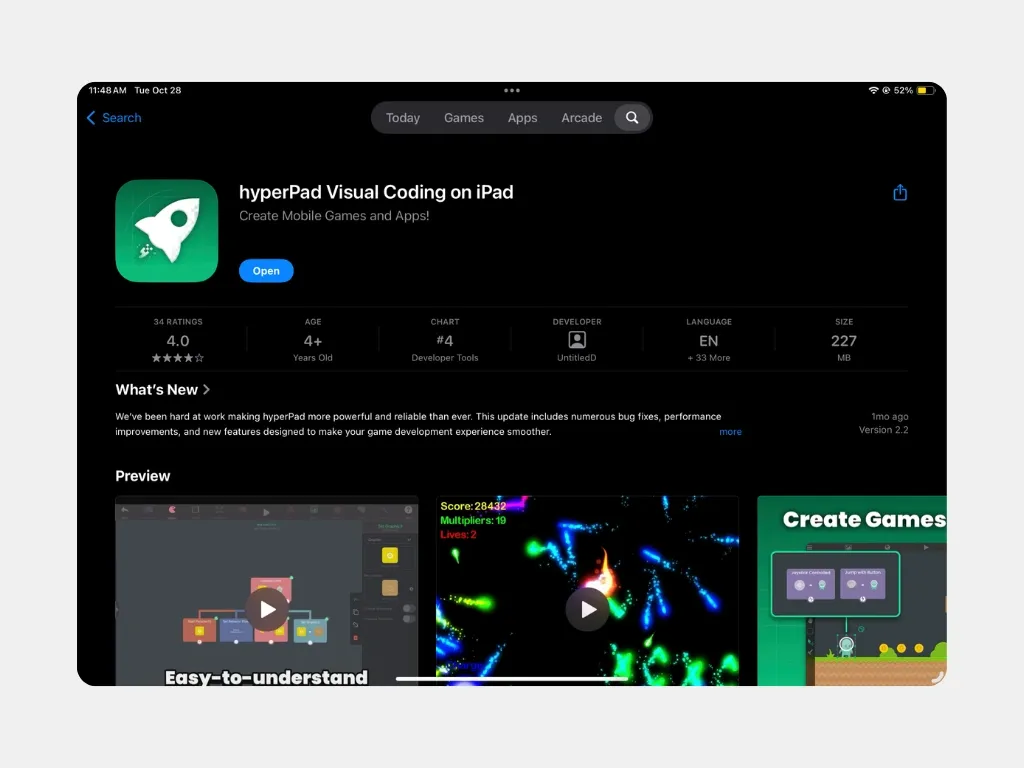
Image Source: hyperPad
hyperPad stands out as a visual programming platform that turns iPad classrooms into creative studios. Students and teachers can build interactive lessons, simulations, and educational games without writing code.
hyperPad App Features
hyperPad’s strength comes from its user-friendly drag-and-drop interface. Teachers can develop apps even without coding experience. Users connect actions and events to create flowcharts of app logic through its visual behavior system. The platform lets you import custom graphics, animations, and sound from creative apps like Procreate and GarageBand. Games and apps run smoothly at 60 FPS. Students and teachers in over 35 languages can use the platform.
hyperPad Classroom Benefits
Students learn better with hands-on experiences that hyperPad creates. They develop critical thinking and problem-solving skills by creating their own interactive projects. Teachers use the visual interface to teach basic coding logic systems. Students gain valuable experience as they work alone or in teams on shared projects. The platform fits perfectly with STEM curriculum goals and supports learning across math, science, language arts, and other subjects.
hyperPad Pricing
A single payment of $14.99 gives you lifetime access with free upgrades and support. Schools with tight budgets find this more affordable than subscription-based options. You keep all the revenue from your published apps. Apple’s $99.00 developer fee is the only extra cost if you want to publish apps to the App Store.
hyperPad Ideal Use Cases
Math and science teachers find hyperPad valuable to show complex concepts through moving animations. Students thrive in project-based learning as they create games, simulations, and interactive stories from scratch. Teachers create custom games that match their classroom’s specific needs. Eight-year-olds and up can learn coding basics with projects that take less than an hour to complete.
Seesaw
Image Source: Student-Centered World
Seesaw stands out as the ultimate digital portfolio and interactive learning platform for elementary education. This innovative tool connects classroom learning with home involvement through its user-friendly design that young learners love.
Seesaw App Features
The platform provides a detailed suite of multimedia tools that lets students showcase their learning through photos, videos, drawings, text, PDFs, and voice recordings. Students can capture both digital and physical work to show their thinking as it happens. The platform’s creative tools add annotations, voice explanations, and text to improve student submissions. So teachers can see all submissions at once and quickly gage how well their class understands the material.
Seesaw Classroom Benefits
The platform’s ability to adapt content for learners of different abilities stands as one of its most important strengths. A teacher puts it this way: “Seesaw helps me differentiate activities for the various learners so that each level is challenged”. Students from all backgrounds can access the platform thanks to its translation into over 100 languages. The numbers speak for themselves – 92% of educators say Seesaw helps them save time by making their workflows efficient. The digital portfolio feature organizes and stores student work automatically, which makes tracking progress and parent meetings more productive.
Seesaw Pricing
Users can choose from several subscription options. Seesaw Starter comes free with limited features, while Seesaw for Schools unlocks premium tools like multi-page activities, unlimited library access, and schoolwide communication features. Additional specialized packages include Early Literacy curriculum for K-2 and English Language Development resources for K-5 multilingual students.
Seesaw Ideal Use Cases
PreK-5 classrooms benefit from Seesaw’s smooth connection between school and home. The platform helps emerging readers and multilingual learners through its frameworks and audio options. Teachers can easily document student progress toward IEP goals. Special area teachers who work with large student groups find the platform particularly useful – one K-5 STEM teacher managing 600 students called it “life-changing” for collecting student work.
Nearpod
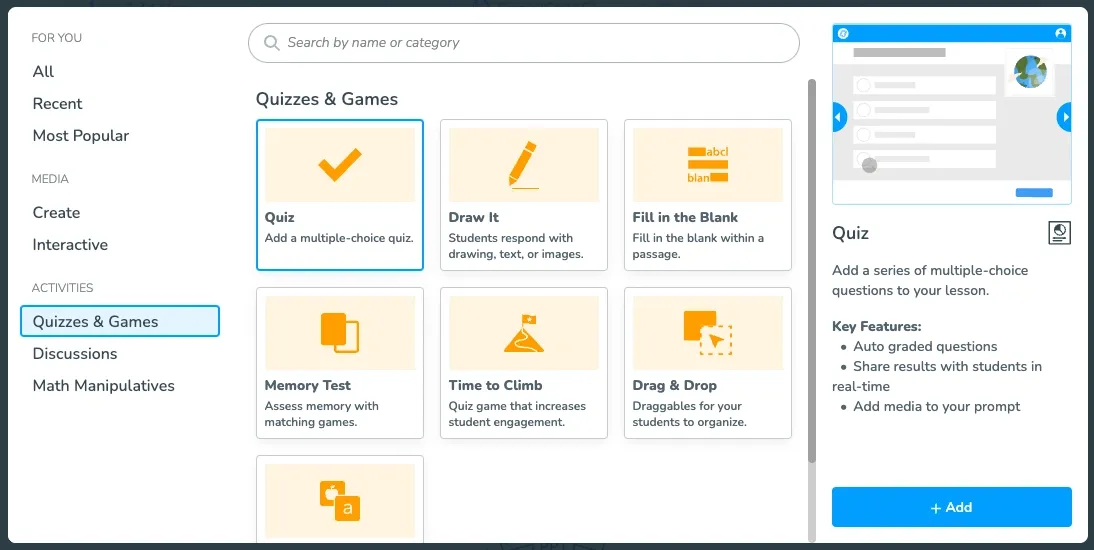
Image Source: Nearpod
Nearpod changes how classrooms work by turning basic presentations into exciting learning experiences. This interactive instructional platform blends up-to-the-minute assessment with captivating content delivery that makes it essential for today’s teachers.
Nearpod App Features
The core of Nearpod has slide-based presentations that teachers can customize with quizzes, polls, and open-ended questions. Students can work together on Boards and show their understanding through Draw It activities. Teachers can add rich media like 3D objects, PhET simulations, and virtual field trips that take students around the world. The platform’s AI Create feature helps build lesson frameworks, questions, and activities in seconds, which saves preparation time. Students can use Nearpod on any device with internet connection, making it easy to use with any classroom setup.
Nearpod Classroom Benefits
Nearpod’s biggest strength helps achieve 100% participation and gives every student a voice – from talkative to shy ones. Teachers can see which students stay focused during lessons since the dot by a student’s name turns red when they leave the lesson. Teachers can switch between leading instruction and letting students work at their own pace, which helps meet different learning needs. 92% of educators report that Nearpod boosts student engagement, and 87% say it helps students grasp learning materials better. Unlike old teaching methods, Nearpod’s instant data helps teachers spot and fix confusion right away.
Nearpod Pricing
The platform has different price tiers starting with a free Silver plan that offers 300MB storage and lets 40 students join each lesson. Gold licenses cost $159 yearly with 1GB storage and room for 75 students per lesson. The Platinum plan at $397 yearly comes with 5GB storage and space for 90 students. Schools and districts can get custom prices that include unlimited storage, 250 students per lesson, plus extras like AI Create, co-teaching, and LMS integrations.
Nearpod Ideal Use Cases
My experience shows Nearpod works great in hybrid learning setups where teachers can run lessons live or let students complete them on their own. Teachers can check understanding through 20+ assessment types and give quick feedback. The platform proves valuable on substitute teacher days since detailed lesson plans can be ready with self-paced options. Teachers can also create interactive videos by adding questions right into the content, which turns watching into active learning.
Padlet
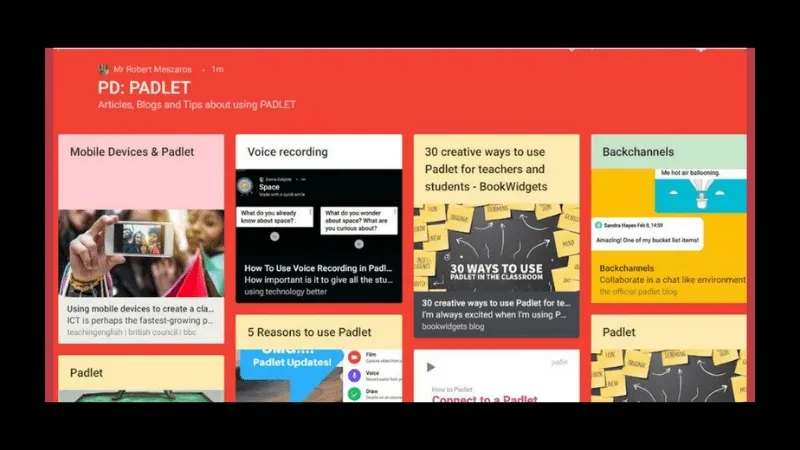
Image Source: We Are Teachers
Padlet reshapes digital collaboration through its virtual bulletin board system that gives teachers the ability to collect and show student work in a visually appealing space. The platform adapts well to support active learning whether you’re teaching in person or online.
Padlet App Features
Padlet works as a customizable digital canvas where users can add posts with text, images, videos, links, audio recordings, and drawings. The platform has several versatile layout options:
Multiple Board Formats: Grid, Wall, Stream, Timeline, Map, and Columns layouts that match your activity needs
Interactive Elements: Built-in reactions (likes, stars, votes), comments, and custom post fields
AI-Powered Tools: Magic Padlet generates content based on prompts, while AI moderation keeps content appropriate
Custom Branding: You can personalize with titles, icons, wallpapers, and font options
The platform’s Sandbox feature adds a digital whiteboard where users can place, move, and connect different media in a free-flowing, brainstorming space.
Padlet Classroom Benefits
Padlet helps every student find their voice, which helps those who might be shy in class. Students can post anonymously without worry, making it perfect for sensitive topic discussions. The platform’s interactive nature gets more student participation and thus encourages more peer collaboration.
Teachers can see student thinking right away as posts appear immediately—great for quick checks or exit tickets. The visual layout makes it easy to spot patterns and group ideas, which creates a better learning experience.
Padlet Pricing
The platform’s subscription plans start with a free “Neon” option that has 3 padlets and 20MB uploads per file. “Padlet Gold” gives you 20 padlets at $8.00 monthly with 100MB uploads, while “Padlet Platinum” comes with unlimited padlets and 500MB uploads. Schools can pick between “Classroom” ($199/year for 2 teachers) and “School” plans (starting at $1000/year for 10 teachers) with special features.
Padlet Ideal Use Cases
My experience shows Padlet works great for brainstorming sessions where students share ideas anonymously, creating a comfortable space for everyone. Students can use it as a portfolio to collect assignments and projects while getting teacher feedback. The Columns format helps with collaborative literature reviews by organizing and annotating scholarly sources by topic. The platform also connects teachers and parents well, sending email alerts when new posts appear.
Kahoot
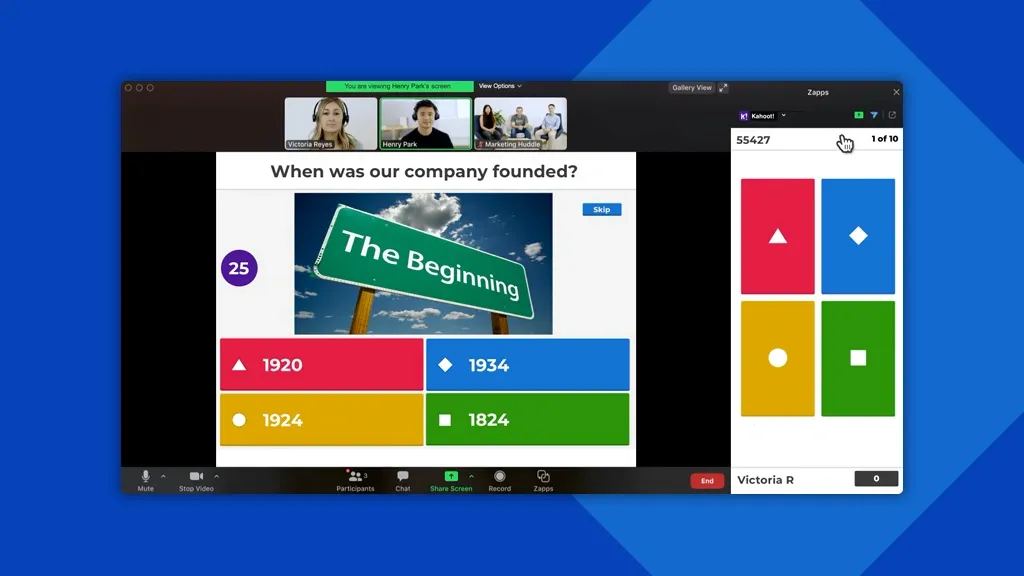
Image Source: Kahoot!
Kahoot brings game-based learning to classrooms worldwide through its interactive quiz platform that turns assessment into a competitive experience students enjoy.
Kahoot App Features
Teachers can create compelling quizzes on Kahoot using multiple question types like polls, puzzles, type answers, word clouds, and open-ended responses. The platform lets teachers add key points, import presentations from PowerPoint or Google Slides, and embed YouTube videos. Students can play games live in class or complete challenges at their own pace for homework. Teachers can also speed up game creation by uploading spreadsheets of questions.
Kahoot Classroom Benefits
Studies show Kahoot substantially improves learning outcomes, with 70% of studies showing better grades and test scores compared to traditional methods. A meta-analysis shows the platform improves knowledge retention with an effect size of 1.492. The platform reduces student stress and helps shy students participate more actively. Kahoot has met ESSA Level III evidence requirements, proving its positive effect on academic performance.
Kahoot Pricing
A basic plan with limited features is available free. Premium plans range from Bronze (USD 3.00/month) to Gold (USD 12.00/month) for individual users, starting at €4/month. Schools can opt for professional plans that cost between USD 19.00 to USD 59.00 monthly per host.
Kahoot Ideal Use Cases
The platform works best for formative assessment, knowledge checks, and exit tickets. It’s particularly effective for vocabulary learning and pre-test reviews. The platform tests recognition and recall mainly, so teachers should use it to boost engagement rather than assess deep understanding.
ClassDojo
Image Source: ClassDojo
ClassDojo has become a cornerstone of K-8 education, reaching 95% of schools across the United States. This classroom management platform changes how teachers connect with parents and motivates students through positive reinforcement.
ClassDojo App Features
The heart of ClassDojo lies in its points system where students earn rewards through customizable avatars based on good behavior. The platform has:
School-Wide Communication: Share photos, videos, and announcements with families
Two-Way Messaging: Connect with families through mobile-friendly messaging, with teacher controls
Automatic Translation: Instantly translate messages into 130+ languages
Student Portfolios: Students can showcase their work through digital collections
Behavior Tracking: Monitor and record student behavior with immediate feedback sounds
ClassDojo Classroom Benefits
Strong school-home connections form the core benefit, with 1 in 6 families already using ClassDojo. Teachers can record behaviors with a single click and save valuable time. The platform helps create consistent behavioral expectations in all school environments. Students develop better self-regulation skills by monitoring their progress through up-to-the-minute feedback. The platform’s data helps identify medication effectiveness and behavior patterns effectively.
ClassDojo Pricing
The platform’s core features remain free forever for schools, teachers, and families. These features include messaging, portfolios, class story, and school story. ClassDojo Plus, an optional family subscription, offers extra features like Homework Helper, Magic Books, and Progress Reports. Pricing varies by country, ranging from $7.99-$15.49 monthly or $59.99-$109.99 annually.
ClassDojo Ideal Use Cases
Elementary school environments, especially K-8 classrooms, benefit most from ClassDojo’s consistent behavior management systems. Schools with diverse language needs find great value in its translation capabilities. Special education settings utilize its visual behavior tracking and parent communication features effectively. The platform works exceptionally well for schools that implement PBIS (Positive Behavioral Interventions and Supports) frameworks.
Google Classroom
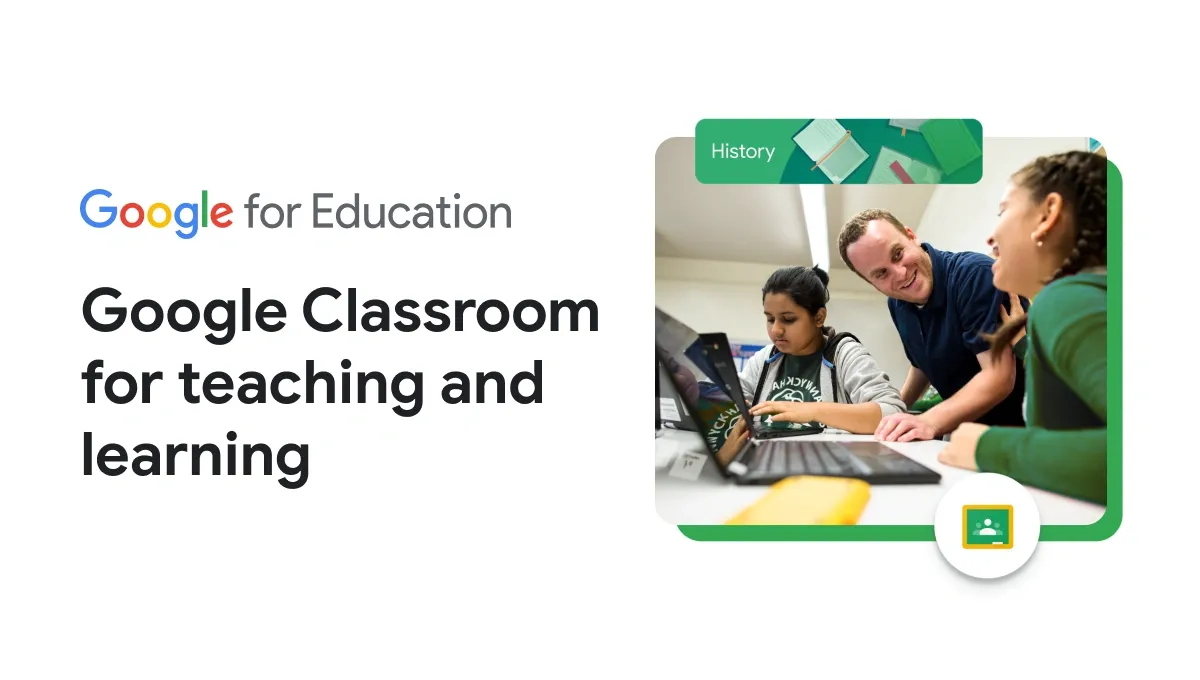
Image Source: Google for Education
Google Classroom serves as the life-blood of digital education by making online learning management easier through its uninterrupted integration with Google’s productivity suite. Educators looking for paperless classroom solutions now consider this free platform essential.
Google Classroom App Features
Google Classroom provides complete tools for academic management through:
Assignment Creation: Teachers can distribute, collect, and grade assignments without paper
Centralized Resources: All materials from lesson plans to grades managed in one place
Google Integration: Uninterrupted connection with Docs, Drive, Forms, Meet, and Calendar
Student Communication: Announcement boards, email summaries, and comment threads
Originality Reports: Helps students check their work for potential plagiarism
Google Classroom Classroom Benefits
Teachers can focus more on instruction because the platform reduces administrative workload significantly. Digital organization eliminates lost papers since students cannot physically misplace their work. Teachers can create multiple classroom environments for varied learning levels to separate instruction. Student participation improves with technology according to research.
Google Classroom Pricing
Qualifying institutions can access Google Classroom free through Education Fundamentals. Premium tiers include:
Education Standard: $3.00/student/year
Teaching and Learning: $4.00/license/month ($48.00/license/year)
Education Plus: $5.00/student/year
Google Classroom Ideal Use Cases
The platform works great for substitute teacher days with student-driven lessons. Schools with BYOD (Bring Your Own Device) policies find the platform particularly useful. Students who miss classes can easily access their materials. The core team members can use it effectively for professional development.
Speechify
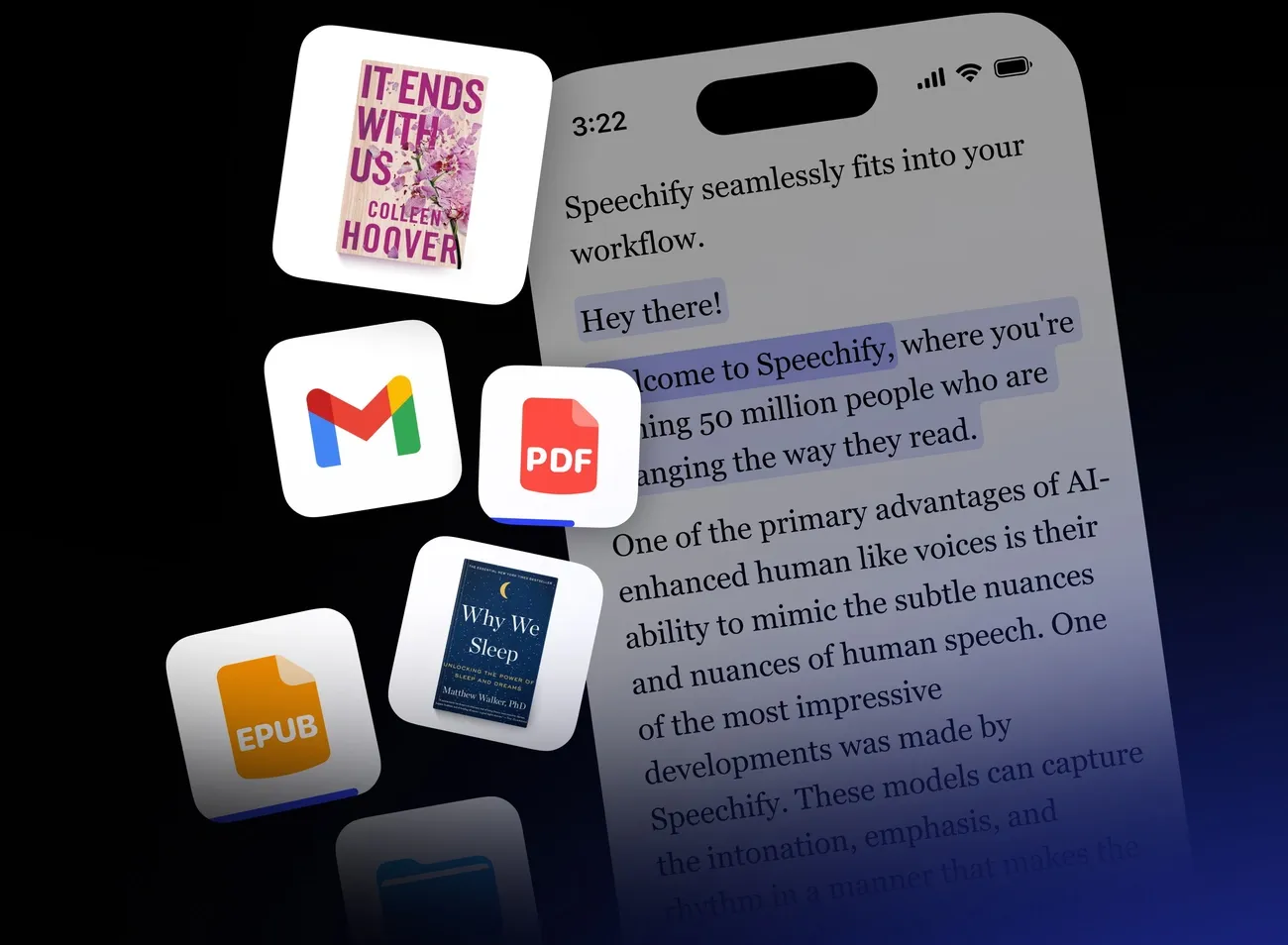
Image Source: Speechify
Speechify leads the audio learning revolution by turning any text into natural-sounding speech. The platform makes written content available to all learners, whatever their reading challenges.
Speechify App Features
This versatile text-to-speech platform has powerful tools that go beyond simple reading functions:
Diverse Voice Library: Access to over 200 natural-sounding AI voices across 60+ languages with premium subscription
Multi-Format Support: Converts PDFs, websites, Google Docs, and even images of printed pages
OCR Technology: Scans physical documents using a mobile device camera
Speed Control: Adjustable playback speeds up to 5x for premium users
Cross-Platform Availability: Works across iOS, Android, Chrome extensions, Safari extensions, and desktop apps
Speechify Classroom Benefits
Speechify boosts accessibility for learners of all types, especially when you have students with dyslexia, ADHD, and visual impairments. The platform helps students absorb material in ways that match their learning styles best. The tool improves focus through text highlighting and increases comprehension with auditory reinforcement. Teachers can review student work or educational materials hands-free, which saves valuable time.
Speechify Pricing
The free plan has 10 simple voices with speeds up to 1.5x. Premium plans cost $29.00 monthly or approximately $11.58/month with annual billing ($138.96 total). Educational institutions might qualify for special pricing, and students often get 50% off.
Speechify Ideal Use Cases
Speechify proves most valuable for students with reading difficulties and provides effective learning options for auditory learners. Students can review content while on the move. Teachers can convert handouts into spoken format and listen to professional development materials to cut down on screen fatigue.
Quizlet
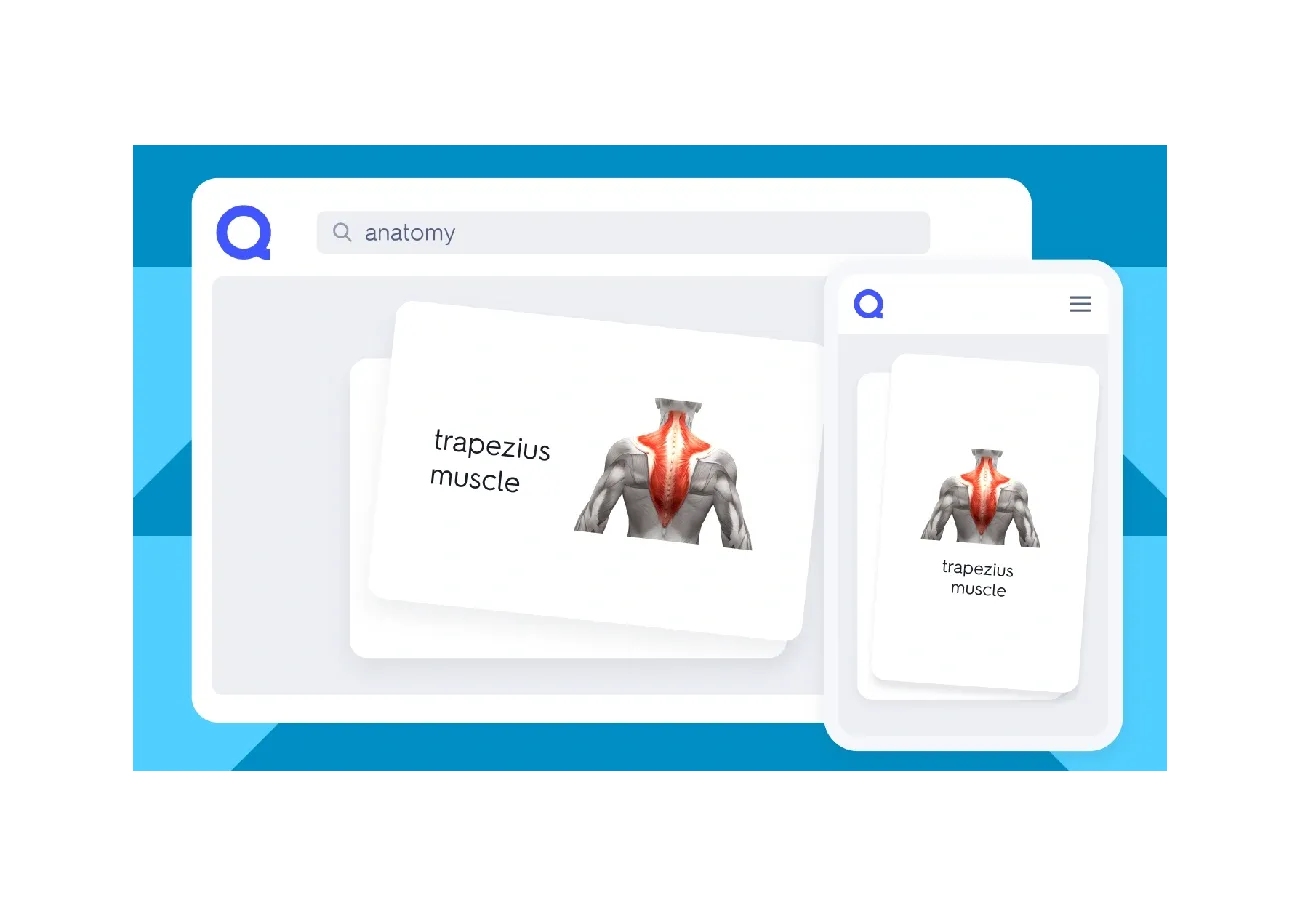
Image Source: quizlet.com
A 15-year-old student created Quizlet in 2005. The platform has grown into a rapidly expanding educational tool with 30 million monthly users from 130 countries. Students can now learn through interactive study methods instead of traditional flash cards.
Quizlet App Features
Quizlet gives users the ability to create or access study sets with terms and definitions. The platform goes beyond simple flashcards. Users can choose from typing exercises, audio prompts, matching games, and gravity where they type answers as asteroids fall. AI technology helps personalize learning by targeting material students find challenging. Students can now collaborate through shared course folders with the new Course-Powered Quizlet.
Quizlet Classroom Benefits
Quizlet’s impact on learning is significant—92% of users report improved grades. Students who set clear learning goals before studying can raise their test scores by an average of one-third of a letter grade. Quizlet Live turns study sets into classroom games that boost student participation.
Quizlet Pricing
Teachers and students can access a free version of the platform. Schools can opt for “Quizlet for Schools” subscriptions. These provide premium features, Expert Solutions, and AI-powered Study Guides without ads.
Quizlet Ideal Use Cases
The platform works best for vocabulary learning, exam preparation, and classroom activities. Quizlet’s customization options make it particularly useful for subjects that need visual or auditory content.
Explain Everything
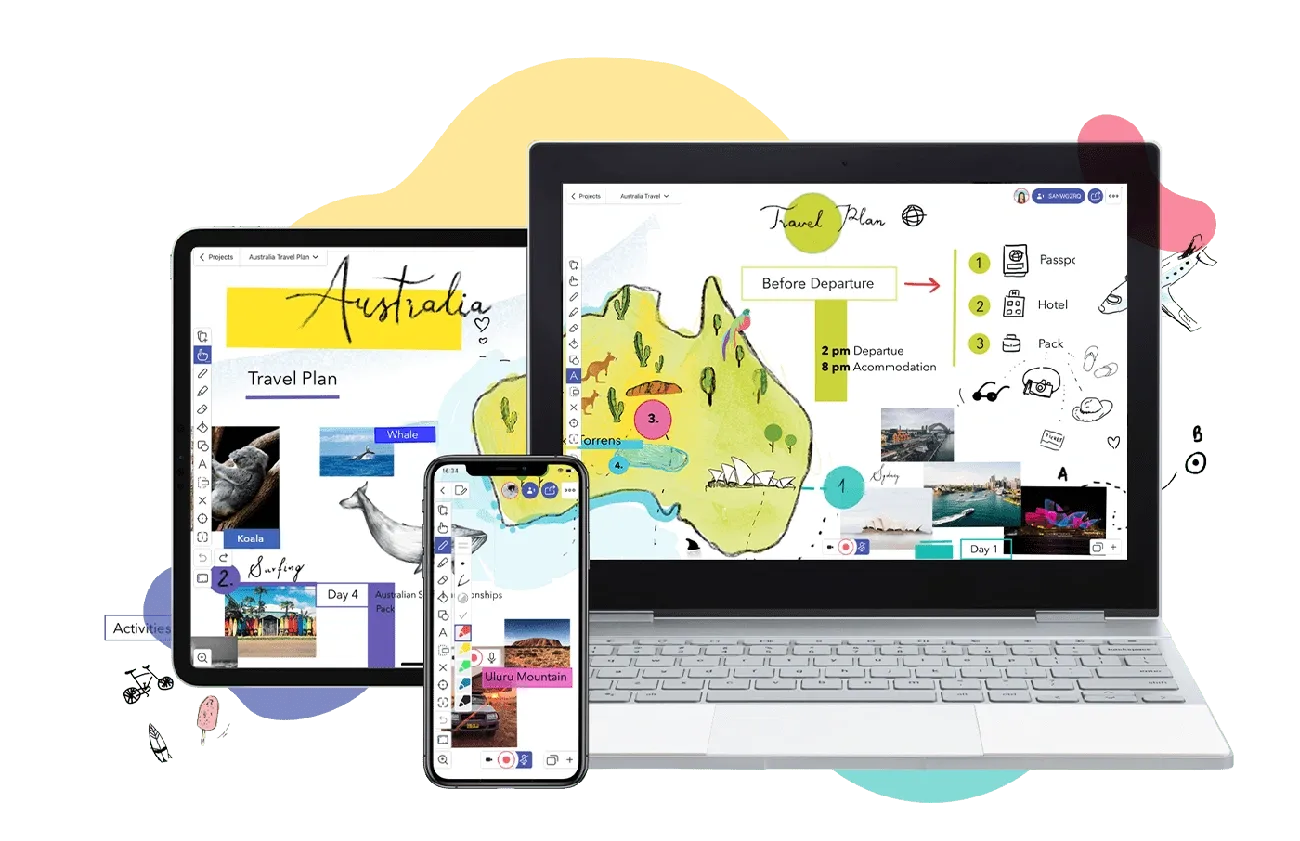
Image Source: Explain Everything
Explain Everything stands out as a powerful digital whiteboard platform that brings teaching materials together and makes shared work possible in real time. This versatile tool blends simplicity with reliable features to boost both in-person and remote instruction.
Explain Everything App Features
The platform has an easy-to-use interface where teachers can import media of all types, add notes to content, and share their screens during lessons. Teachers can share materials instantly with their entire classroom through its collaborative whiteboard. They can create projects with multiple slides, record presentations, and make use of a complete video editing toolset. The platform connects with prominent learning management systems like Canvas, Schoology, and Moodle. Teachers can scan documents on mobile devices and convert physical materials to digital text using OCR technology.
Explain Everything Classroom Benefits
Teachers can manage their workflow better by keeping all paperwork digital. The platform helps monitor student activity during group work and stops internet browsing during lessons. Users say the tool works best in flipped classroom models and asynchronous learning environments. Its recording features are a great way to get instructional support and show student understanding.
Explain Everything Pricing
The free plan has up to 3 projects, 1 slide per project, and 3-minute video exports. Education-specific plans include Advanced ($14.99) with unlimited projects and 7.5GB storage. School plans come with 10GB pooled storage per teacher at custom prices. Larger institutions can get custom onboarding and training sessions.
Explain Everything Ideal Use Cases
The platform helps create instructional videos for students who miss class. It shines during interactive presentations when teachers need to import existing materials like PowerPoints or Google Slides. Teachers can save time on material preparation by using ready-made templates. Math teachers find it especially useful when students need to solve problems while explaining their thinking process.
Comparison Table
|
App Name |
Core Features |
Key Benefits |
Pricing Structure |
Best Use Cases |
Target Education Level |
|
hyperPad |
– Visual drag-and-drop programming interface |
– Develops critical thinking skills |
$14.99 one-time payment + optional $99 Apple developer fee |
– Math/science visualization |
Grade 3+ (8 years+) |
|
Seesaw |
– Multimedia documentation tools |
– Makes learning personalized |
– Free basic version |
– PreK-5 classrooms |
PreK-5 |
|
Nearpod |
– Interactive presentations |
– 100% participation rate |
– Free Silver plan |
– Hybrid learning |
Not specified |
|
Padlet |
– Multiple board layouts |
– Boosts participation |
– Free: 3 padlets |
– Brainstorming |
Not specified |
|
Kahoot |
– Multiple question types |
– Better learning outcomes |
– Free basic plan |
– Formative assessment |
Not specified |
|
ClassDojo |
– Points reward system |
– Strong home-school connection |
– Core features free |
– Elementary classrooms |
K-8 |
|
Google Classroom |
– Assignment management |
– Less administrative work |
– Free Education Fundamentals |
– Substitute teaching |
Not specified |
|
Speechify |
– 200+ AI voices |
– Better accessibility |
– Free: Basic voices |
– Reading difficulties |
Not specified |
|
Quizlet |
– Multiple study modes |
– 92% grade improvement |
– Free basic version |
– Vocabulary learning |
Not specified |
|
Explain Everything |
– Digital whiteboard |
– Quick workflow |
– Free: 3 projects |
– Instructional videos |
Not specified |
10 Best Apps for Teachers: Conclusion
Educational technology is changing classrooms everywhere. Teachers who want to improve their teaching in 2026 need these 10 must-have apps. I tested more than 200 EdTech services. These tools stood out because they cut down paperwork, make learning personal, and work naturally on all devices.
Each app plays its own role in education. HyperPad helps students discover their creative side through visual programming. Seesaw connects what happens in class with learning at home. Nearpod turns boring presentations into exciting experiences. Padlet gives students a digital space to work together. On top of that, Kahoot makes testing fun, ClassDojo helps manage behavior and build community, and Google Classroom keeps digital work organized. Speechify turns text into audio that’s available to everyone. Quizlet offers new ways to study, and Explain Everything keeps teaching materials in one place.
These tools show how educational technology has grown way beyond the reach of just remote learning. The best part? You don’t need a big budget. Many tools offer free versions or different pricing options. Teachers can pick tools that fit their classroom’s needs – whether they want to teach different learning styles, get students involved, or make paperwork easier.
New technology might look scary at first. But these apps are worth learning about. Better learning results and more student participation prove it. My experience shows these aren’t just passing trends. They’re real solutions for real classroom problems. The right mix of these apps can optimize teaching and create better learning spaces for students everywhere.
✨ Notie AI – The AI that corrects your papers

