

ChatGPT for teachers isn’t just another tech trend—it’s a game-changing tool that’s revolutionizing education.
ChatGPT offers practical solutions for teachers who face challenges with curriculum development or need creative writing prompts.
This piece will give you 27 battle-tested ChatGPT tips that have made a real difference in classrooms. You won’t find theoretical ideas here—just real-life applications that deliver results. Let me show you how this AI tool can revolutionize your teaching methods while saving your most valuable resource: time.
Plan Lessons with ChatGPT

Image Source: AI for Education
Lesson planning keeps teachers at their desks well after their students have gone home. ChatGPT now provides a practical solution to this time-draining task.
ChatGPT in lesson planning
ChatGPT acts like a smart personal assistant when planning lessons.
ChatGPT prompts for lesson design
Your prompts need clear structure to get the best results:
- Define specifics: “Create a science lesson plan for 2nd-graders about plant growth, focusing on water and light requirements”
- Request elements: “Include learning objectives, activities, assessment methods, and differentiation strategies”
- Refine output: “Modify the roleplay activity to accommodate students uncomfortable with performing”
Ground example
Kim Lepre, a California English teacher, used ChatGPT to build a full lesson about the Salem witch trials for her seventh-grade class.
Develop Curriculum and Syllabi

Image Source: YouTube
Teachers spend countless hours creating detailed curriculum and syllabi. ChatGPT provides a great way to get support that helps educators speed up this process without compromising on quality.
ChatGPT in curriculum design
Studies reveal ChatGPT makes meaningful contributions to curriculum development.
Experts maintain that ChatGPT serves best as a collaborative tool rather than replacing educator expertise. Teachers can use ChatGPT’s suggestions as a foundation to refine and adapt. The tool responds well to prompts based on existing curriculum frameworks and lines up with specific learning outcomes.
Benefits of AI-generated syllabi
ChatGPT brings several key advantages to syllabi development:
Time efficiency – AI syllabus generators create online courses up to 10 times faster than conventional methods Personalization options – AI algorithms make use of information about students to create customized learning paths Content updates – ChatGPT spots knowledge gaps and refreshes curriculum content with relevant information
ChatGPT excels at recommending a variety of teaching methodologies from lectures to case studies.
The teaching process with ChatGPT focuses on improving curriculum development through thoughtful collaboration rather than outsourcing creativity.
Create Assignments and Writing Prompts

Image Source: LinkedIn
Teachers spend considerable time creating assignments. ChatGPT offers practical solutions that help design student work that students want to participate in.
ChatGPT in assignment creation
Good assignments balance critical thinking with student participation. ChatGPT helps teachers generate assignments where students analyze AI outputs with a critical eye.
Students can benefit from these approaches:
- Students can refine ChatGPT’s outputs using “Track Changes” to document their revision process
- Students can use ChatGPT to generate a first draft or outline before developing it further
- Teachers can create assignments where students critique ChatGPT’s responses as “competent but empty”
These activities help students develop subject knowledge and AI literacy in the classroom. This prepares them for a future where AI tools become commonplace.
ChatGPT prompts for writing
Teachers should craft clear, specific prompts to get the best results from ChatGPT.
Generate Reading Comprehension Questions

Image Source: LearnCube Blog
Reading comprehension questions take up much of a teacher’s time. ChatGPT provides excellent support that helps educators customize questions based on reading levels and learning objectives.
ChatGPT in reading instruction
ChatGPT creates diverse reading comprehension questions customized to specific texts.
Classroom implementation tips
Teachers can get the best results with these strategies:
- Tell ChatGPT the grade level, reading ability, and learning objectives
- Ask for specific question types (literal, inferential, evaluative)
- Mention how many questions you need
Review all AI-generated content before giving it to students
UK school’s core team has found success using ChatGPT to create morning challenges and guided reading lessons.
Design Quizzes and Tests

Image Source: BookWidgets
Teachers can spend more time with students instead of creating assessments. ChatGPT provides innovative solutions to create high-quality quizzes and tests in seconds rather than hours.
ChatGPT in assessment
ChatGPT creates various assessment types including multiple-choice questions, short answers, true/false items, and essay prompts. The AI analyzes your content and crafts engaging questions that match learning objectives.
Key benefits include:
Significant reduction in administrative tasks Options to customize for different learning styles Better ways to minimize bias in assessments
ChatGPT prompts for quizzes
Your prompts should be structured clearly to get the best results from ChatGPT:
Note that you should review all AI-generated content before sharing it with students. Teachers should use ChatGPT as a collaborative starting point rather than replacing their expertise.
Provide Constructive Feedback on Student Work

Image Source: YouTube
Quality feedback takes significant time but remains vital to effective teaching. ChatGPT is a great way to get support with this important task.
ChatGPT in grading
Research shows ChatGPT works best alongside teacher evaluation rather than replacing it completely.
To work effectively:
- Provide clear, role-specific prompts (e.g., “You are an expert writing tutor”)
- Include assessment criteria and student context
- Review all AI-generated feedback before sharing
Benefits of AI feedback
Create Vocabulary Flashcards

Image Source: Imagine with Rashid
Vocabulary development serves as the bedrock of language learning in every subject. Making effective flashcards by hand can drain precious teaching time.
ChatGPT in vocabulary instruction
These steps help create effective vocabulary flashcards with ChatGPT:
- Specify your exact format needs: “Create flashcards with [language] on front, [translation] on back”
- Include context: “Generate 15 vocabulary flashcards around the theme ‘ecosystems’ for 5th grade science”
- Request varied difficulty: “Include single words and complete sentences at an intermediate level”
Real-life example
A Florida ESL teacher employed ChatGPT to create specialized medical vocabulary flashcards for a student’s healthcare internship preparation. The teacher noted: “The student needed specialized vocabulary for an eye exam.
Draft Parent Letters and Progress Reports

Image Source: Lucky Little Learners
Teachers spend too much time on parent communications. ChatGPT helps reduce this administrative load and you still keep strong connections with families.
ChatGPT in teacher communication
Teachers need to write many parent messages during the school year—from weekly updates to behavior notices. These messages need to be both professional and tailored to each family. ChatGPT gives teachers a great starting point. Many teachers save hours drafting parent emails and still keep the right tone and clarity. The free version works well enough for most messages. It helps teachers stay professional and calm when dealing with emotional situations.
ChatGPT prompts for reports
Here’s how to write better progress reports with ChatGPT:
- “Generate a positive note home about [student name]’s participation and enthusiasm in class”
- “Draft a 75-word progress report for a 5th grader showing improvement in reading comprehension”
- “Create a template for end-of-year reports emphasizing growth mindset language”
Teachers who use AI tools can write reports in 1-2 minutes per student instead of 10-15 minutes. The best way to use these tools is to review all AI content before sending it out. You should avoid educational jargon and make each message personal. With some careful editing, ChatGPT makes report writing much easier to handle.
Brainstorm Classroom Activities
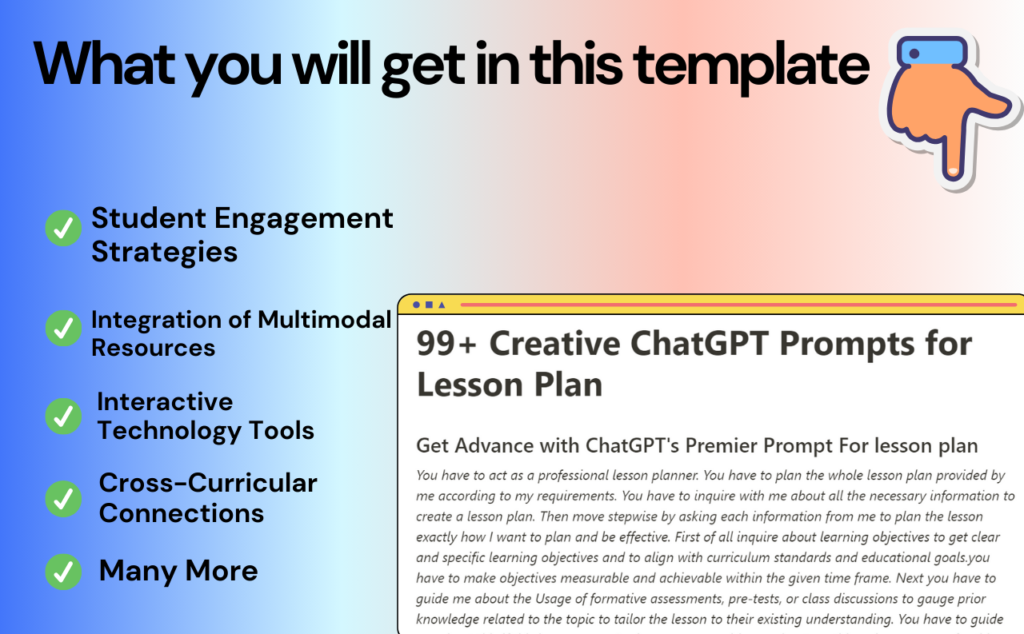
Image Source: ChatGPT AI Hub
Student engagement plays a key role in effective teaching. ChatGPT helps create activities that engage learners and reduces preparation workload.
ChatGPT in student engagement
ChatGPT acts as a great brainstorming partner for interactive classroom activities, beyond just lesson planning. Teachers now use AI tools to track immediate student responses through voice and facial recognition.
ChatGPT prompts for activities
These prompts work well to create engaging classroom activities:
- “Create 5 interactive learning activities about [topic] suitable for [grade level]”
“Suggest group learning activities for 9th graders to understand human geography” “Design a ‘choose-your-own-adventure’ story about [historical event]”
A popular approach involves running a “Stump the Bot” challenge where students try to create questions that ChatGPT can’t answer well. This teaches both critical thinking and AI literacy effectively. Of course, ChatGPT excels at generating role-playing scenarios.
Create Role-Playing Scenarios

Image Source: Hong Kong TESOL
Role-playing scenarios are a great way to get learning opportunities in any subject area. ChatGPT has turned this educational tool into something everyone can use.
ChatGPT in ESL and drama
Role-playing works well in ESL and drama education where ChatGPT acts as an available conversational partner. Students practice dialogs with AI that plays different characters in dramatic exchanges. This builds speaking confidence and fluency without needing a partner.
Drama teachers use ChatGPT to spark ideas during creative activities. It provides story starters, plot outlines, and helps develop characters.
Classroom implementation tips
Here’s how to create effective role-plays with ChatGPT:
Write clear prompts like “Create a reader’s theater script for sixth-grade students illustrating the water cycle with roles for rain, snow, and sun” Create scenarios that mirror real-life situations: “Generate a role-play where a student practices booking a hotel room with ChatGPT as the receptionist” Use AI-generated hidden information to create natural conversational conflicts
Language teachers find success when students create role-plays through AI and perform them in VR environments.
Support Differentiated Instruction

Image Source: FasterCapital
Customized instruction remains a challenge for educators who work with students from diverse backgrounds.
ChatGPT in inclusive teaching
ChatGPT has become a valuable tool to create learning experiences available to all students.
Students with neurodivergent traits benefit from ChatGPT’s customized learning paths that work with their sensory needs.
ChatGPT prompts for differentiation
These prompts will help you support students with different learning needs:
Develop IEP Goals and Study Guides

Image Source: Simply Special Ed
Special educators face challenges when creating IEP (Individualized Education Program) goals for their students. ChatGPT provides great support in this specialized teaching area.
ChatGPT in special education
ChatGPT quickly turns information into easy-to-understand formats that match different learning styles. Students who need extra support benefit the most from these study guides.
Real-world example
Translate and Simplify Texts

Image Source: Chrome Web Store – Google
Language barriers pose unique challenges in diverse classrooms. ChatGPT provides practical solutions through translation and text simplification that make learning available to all students.
ChatGPT in language support
Teachers now employ ChatGPT to adapt grade-level texts for English learners. An eighth-grade teacher found success when AI transformed an 11th-grade magazine article about the Willow project into a 5th-grade reading level text.
The tool helps generate language objectives that match specific proficiency levels.
ChatGPT prompts for translation
These structured prompts will give you better translation results:
- “Simplify this [subject] text to a [specific] grade reading level while preserving key concepts”
- “Translate this paragraph into [language], maintaining a [formal/casual] tone”
- “Create a bilingual vocabulary list for this science lesson with terms in [language]”
Summarize Research and Articles

Image Source: Academic Help
Teachers lack the time needed for professional development through research review.
ChatGPT in professional development
ChatGPT has become a valuable tool for teachers who want to digest complex educational research quickly.
Research shows an interesting gap in educational AI studies.
Benefits of AI summaries
ChatGPT offers several key advantages for research summaries:
Time efficiency – Documents that take hours to read can be summarized in seconds Context preservation – The AI keeps important details while maintaining content context Format flexibility – Summaries can be customized as bullet points, paragraphs, or key takeaways
Generate Interactive Learning Games

Image Source: The Art of TESOL – WordPress.com
Games make ordinary lessons unforgettable learning experiences. ChatGPT proves to be a great tool that creates educational games. These games grab students’ attention and reinforce important concepts.
ChatGPT in gamification
ChatGPT designs challenges, quizzes, and role-playing exercises that build various skills:
- Problem-solving scenarios boost critical thinking
- Debate simulations strengthen communication
- Interactive storytelling sparks creative expression
Classroom implementation tips
ChatGPT-generated games work best when you:
Teach AI Literacy and Hallucinations

Image Source: Association for the Advancement of Computing in Education – AACE
Teaching about AI’s limitations gives us a significant chance to educate effectively. AI tools like ChatGPT generate incorrect information—known officially as “hallucinations”—and create perfect moments to teach digital literacy.
ChatGPT in digital citizenship
Traditional digital citizenship education naturally extends to AI literacy. ChatGPT’s tendency to “make stuff up” due to its probabilistic nature makes it essential for students to spot these fabrications. Students should know that ChatGPT might sound convincingly human while claiming emotions or experiences it cannot possibly have.
These strategies help teach AI literacy:
- Students can examine AI-generated content with the prompts that created them
- Students should ask for source links during AI research
- Students can verify information by comparing AI outputs with reliable sources
We developed critical thinking skills through these activities. Students learn that even impressive technology needs human judgment and oversight through questioning AI outputs.
Ground application
River Dell Regional School District’s professional development session in New Jersey showed ChatGPT’s dramatic hallucination. The AI summarized a Chicago Public Schools document with unrelated details about estate sales, compliance systems, and Nigerian culture. This apparent failure proved valuable—it showed why AI tools need skepticism, human oversight, and verification. A teacher used this experience to pause regular lessons. She taught AI responsibility by having students spot AI-generated fake sources and analyze AI outputs’ biases. Her classroom’s AI-related plagiarism decreased as a result.
Run a ‘Stump the Bot’ Challenge

Image Source: Eduporium
Students learn powerful lessons when AI limitations become a game. The “Stump the Bot” challenge lets them create questions that confuse ChatGPT and makes tech education fun.
ChatGPT in classroom fun
The “Stump the Bot” competition reshapes the scene of AI literacy into an engaging classroom activity. Students learn what artificial intelligence can and cannot do beyond just testing ChatGPT. This playful approach helps them build critical thinking skills as they create questions that challenge AI responses. The activity shows students how even advanced technology has its limits—a vital lesson in today’s AI-driven world.
Classroom implementation tips
These steps will help you run a successful “Stump the Bot” challenge:
- Set clear rules: Students should find questions that don’t get coherent answers from ChatGPT. Make it clear that inappropriate prompts won’t work.
- Give students time to think up complex ideas, unclear statements, or paradoxes (like “What happens when an unstoppable force meets an immovable object?”).
- Let students take turns with their prompts and have the class decide if they managed to stump ChatGPT.
- Start discussions after each attempt about why certain prompts confused the AI to build evaluation skills.
The activity ended up building tech knowledge while creating memorable classroom moments that mix learning with fun.
Comparison Table
| ChatGPT Tip | Main Goal | Benefits | Implementation Tips | Ground Impact |
|---|---|---|---|---|
| Plan Lessons | Create complete lesson plans with objectives and activities | Saves 7+ hours weekly on resource searching | Use specific prompts defining grade, subject, and elements needed | Teacher created full Salem witch trials lesson in minutes |
| Develop Curriculum | Design educational modules and syllabi | Creates courses 10x faster than usual methods | Use existing frameworks as prompts | 92% accuracy rating for curriculum goals |
| Create Assignments | Make student work and writing prompts interesting | Balances critical thinking with student interest | Include specific details about style, tone, and formatting | Students learn both subject knowledge and AI literacy |
| Generate Reading Questions | Create varied comprehension questions | Customizes questions for different reading levels | Specify grade level and question types (literal, inferential, evaluative) | Gives more practice opportunities while reducing prep time |
| Design Quizzes | Create varied assessment types | Reduces tasks, supports varied learning | Structure prompts with clear difficulty levels and question types | Makes immediate feedback possible during practice |
| Provide Feedback | Help in grading and assessment | Gives immediate, customized responses | Include assessment criteria and student context | 100% precision for claims, 95.8% for evidence evaluation |
| Create Flashcards | Generate vocabulary learning materials | Studies language features that affect learning | Specify format needs and include context | Helped ESL student learn medical terminology for internship |
| Draft Communications | Write parent letters and progress reports | Reduces writing time from 15 to 2 minutes per student | Use focused prompts for specific communication types | Keeps professionalism in emotional situations |
| Brainstorm Activities | Generate interesting classroom exercises | Creates quick transition activities | Include grade level and specific topic requirements | Makes live student tracking possible |
| Create Role-Playing | Design interactive learning scenarios | Makes individual practice possible without partners | Specify detailed character and situation descriptions | Reduces creative work scope for better management |
| Support Differentiation | Modify content for various learners | Helps 20% of neurodivergent students | Create multiple versions for different skill levels | Gives constant support to students |
| Develop IEP Goals | Generate special education objectives | Reduces development time by 30 minutes per student | Input specific student data including strengths and needs | Makes better IEP goals for autism support |
| Translate/Simplify | Make content available across languages | Improves comprehension by 20% | Ask for cultural explanations with translations | Changed 11th-grade content to 5th-grade level |
| Summarize Research | Condense complex educational content | Saves hours of reading time | Specify character limits and content focus | 90% of users report major efficiency gains |
| Generate Games | Create educational gaming experiences | Improves interest through interactive elements | Include specific standards and learning objectives | Market projected to reach $32B by 2025 |
| Teach AI Literacy | Educate about AI limitations | Develops critical thinking skills | Show examples of AI-generated content and prompts | Lowered AI-related plagiarism in classrooms |
| Run Stump the Bot | Challenge AI capabilities | Makes technology education fun | Set clear rules and guide discussions | Builds tech understanding through participation |
Conclusion
ChatGPT has changed how educators handle their daily teaching tasks. Teachers around the world now save countless hours on lesson planning, assessments, and paperwork. This gives them more time to connect with their students. ChatGPT doesn’t replace a teacher’s expertise. It acts as a helpful assistant that takes care of repetitive work so teachers can focus on meaningful student interactions.
Critics doubted ChatGPT’s role in education at first. The real-life examples from teachers show its value in every subject and grade level. This technology helps teachers optimize their work – from creating reading questions for different skill levels to writing IEP goals.
ChatGPT gives teachers options. You can use it for quick tasks like making vocabulary flashcards or merge it into your curriculum planning. The choice is yours. Students also learn about AI’s limits through activities like “Stump the Bot,” which prepares them for a future where AI plays a bigger role.
Note that ChatGPT works best as a starting point. Your professional judgment, creativity, and knowledge of your students remain crucial. Successful teachers see ChatGPT as a partner that enhances their teaching while keeping the human element central to education.
Teachers have enough on their plates already. ChatGPT helps lighten the workload so you can focus your energy on what matters most. This technology supports your teaching journey, whether you try one suggestion or all twenty-seven. Tomorrow’s classroom brings together human wisdom and technological efficiency – a partnership that helps both teachers and students succeed.
✨ Notie AI – The AI that corrects your papers

