

Time management for teachers has become crucial for educators who work 53 hours per week on average. Most educators constantly balance classroom time, lesson prep, grading, meetings and various other responsibilities.
The struggle is real.
These 17 time management tips for teachers deliver real results.
Conduct a Time Audit
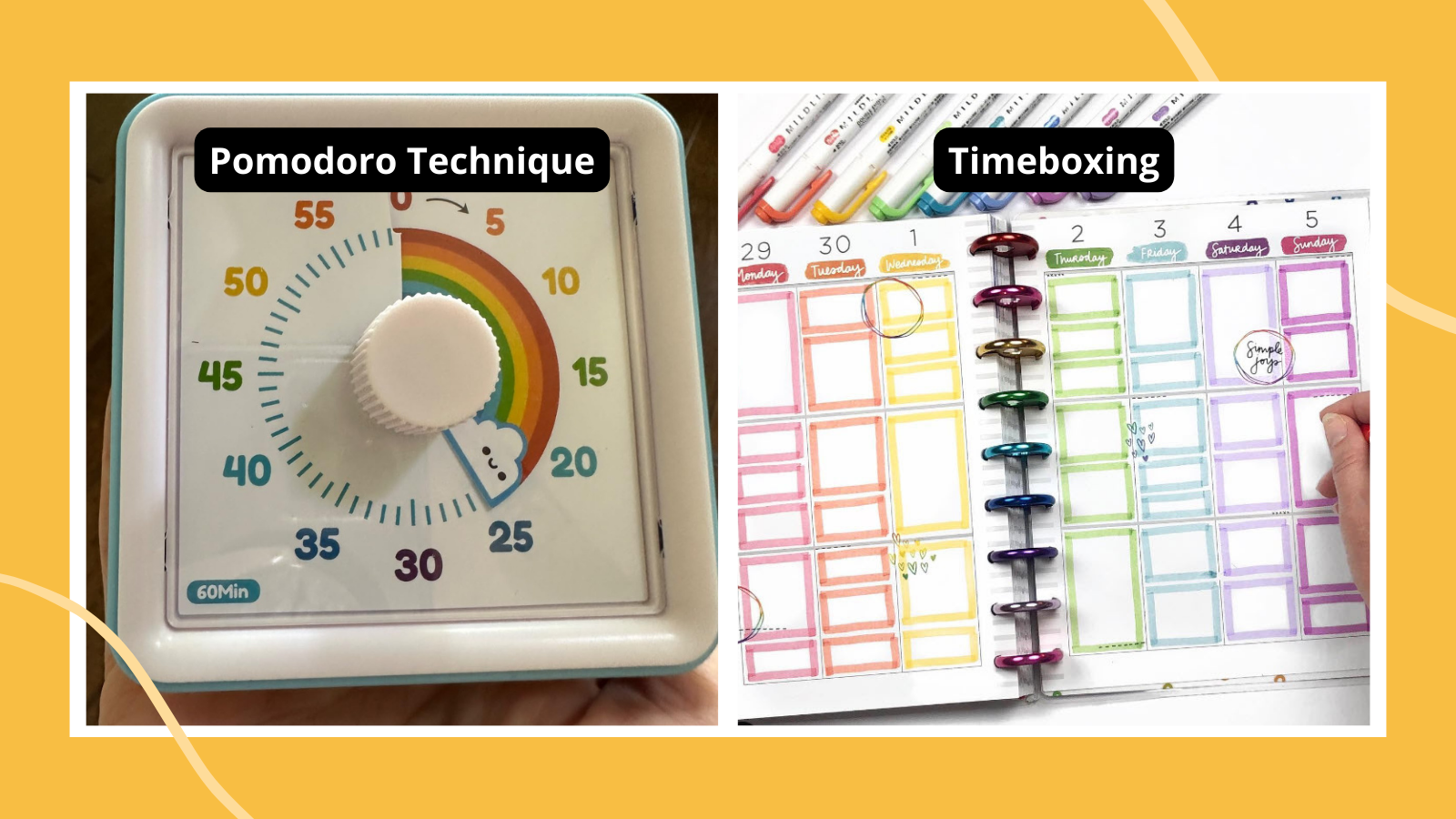
Image Source: We Are Teachers
Conduct a Time Audit
Conduct a Time Audit explanation
You need to understand where your time goes before fixing your schedule.
Benefits of Conducting a Time Audit
Time audits are a great way to get several advantages for educators:
Boosted productivity – The audit highlights your productive and wasted time Effective goal setting – Your activities arrange with teaching priorities Stress reduction – Finding time-wasting habits creates a healthier work-life balance Taking control – Your schedule changes based on evidence rather than guesswork
How to Conduct a Time Audit
Your time audit will work when you:
Pick two typical weeks during your school year Record your activities every 15 minutes throughout each day Keep a notebook or timer handy to track activities away from your desk Stay honest – write down everything, including breaks and distractions After gathering data, group activities into categories like teaching, prep, meetings Calculate time spent on each category and its percentage of total work time - Review results by asking: Where does your time go? Do these activities deserve your time?
How much unscheduled time exists?
Map Out Your Weekly Schedule

Image Source: Erin Condren
Map Out Your Weekly Schedule
Map Out Your Weekly Schedule explanation
Your next powerful step after analyzing your time usage is creating a weekly schedule. Weekly scheduling helps you lay out your teaching week in advance and turns your calendar into organized work blocks.
Benefits of Weekly Scheduling
A mapped weekly schedule gives you several advantages:
Improved focus – You produce higher-quality work more efficiently by concentrating on one task at a time Reduced stress – Your day becomes less chaotic because you know what to work on and when Better workload understanding – You get a realistic picture of your commitments by scheduling all tasks Increased productivity – Your workflow becomes streamlined when you group similar tasks
How to Map Your Schedule
Here’s how you can create a schedule that works:
Record your fixed commitments (teaching periods, meetings, duties) in a planner Look at your schedule to find blocks of available time List your regular tasks with time estimates for each Group similar activities to minimize task-switching Match work blocks to your energy levels throughout the day Add short breaks and lunch periods to stay energized Leave some buffer time (“margin”) for unexpected tasks
Your schedule should be a helpful framework, not another source of pressure. The goal is consistency rather than perfection.
Batch Similar Tasks Together

Image Source: Hubstaff
Batch Similar Tasks Together
Batching explanation
Batching means you group similar activities and tackle them in one focused session rather than spreading them throughout your day. Teachers juggle many responsibilities every day – from grading papers and planning lessons to answering emails and getting materials ready. When you group these related tasks, you can work through them quickly without having to change your mental focus.
Why Batching Tasks Works
Research shows some compelling evidence about batching.
- You avoid decision fatigue by removing constant choices about what to do next
- Your workflow becomes more structured and predictable
- The quality of your work improves through focused attention
- Your workload feels more manageable, which reduces stress
How to Batch Tasks Effectively
Here’s how you can make batching work in your teaching routine:
- Group your tasks by type (creative work like lesson planning, analytical work like data review, logistics like making copies)
- Figure out how long each group usually takes
- Block specific times in your schedule for each batch
- Keep a running list of quick 5-15 minute tasks for those unexpected free moments
You might want to batch similar lessons across multiple classes rather than preparing different subjects for one class
Your work will flow more smoothly and maintain higher quality standards when you use this approach.
Use the Pomodoro Technique

Image Source: t2informatik
Use the Pomodoro Technique
Pomodoro Technique explanation
Benefits of Pomodoro for Teachers
Teachers can gain several advantages from this technique:
Better focus throughout lessons Students participate more when long classes break into manageable segments Students develop significant 21st-century skills like time management Less procrastination with grading and planning More accurate estimates of task completion times This method helps curb digital distractions affecting teachers and students alike Administrative tasks see increased efficiency
How to Use Pomodoro in Teaching
Your classroom can benefit from the Pomodoro Technique through these steps:
Pick specific tasks you’ll complete in each pomodoro Set your timer to 25 minutes and focus only on that task Take a 5-minute break afterward – move around or chat briefly with students Dedicate one pomodoro daily to think over topics covered Show students how to use this method for their independent work
This technique has been a great way to get through report card season.
Set SMART Goals

Image Source: Think Teaching
Set SMART Goals
SMART Goals explanation
The right goals can change your approach to time management as a teacher. SMART goals give you a well-laid-out framework that makes your objectives clear and doable. SMART stands for Specific, Measurable, Achievable, Relevant, and Time-bound.
Each part plays a vital role:
- Specific: Clear, direct statements about what you want to achieve
- Measurable: Clear ways to track progress and see success
- Achievable: Realistic goals based on your resources and skills
- Relevant: Goals that help your career growth or students
- Time-bound: Clear deadlines with progress checks along the way
Why SMART Goals Help Teachers
SMART goals help teachers work better by:
- Making teaching and learning results better
- Creating chances for professional growth
- Making good use of resources
- Keeping up motivation and accountability
- Putting student improvement first with informed decisions
- Matching teaching methods with learning standards
How to Set SMART Goals
You can make SMART goals work by:
- Picking a clear goal (like getting students more involved)
- Making it countable (like boosting science scores by 5%)
- Making sure you can reach it with your time and resources
- Checking that it fits your teaching priorities
- Setting firm deadlines (semester or school year)
- Getting input from coworkers and students
- Looking back and adjusting often
Prioritize with the Eisenhower Matrix

Image Source: Barefoot TEFL Teacher
Prioritize with the Eisenhower Matrix
Eisenhower Matrix explanation
Teachers struggle to decide which tasks need their immediate attention.
| Urgent | Not Urgent | |
|---|---|---|
| Important | Do First | Schedule |
| Not Important | Delegate | Don’t Do |
Benefits of Prioritizing with Eisenhower
This matrix gives teachers several key advantages:
- Your stress levels drop when you know what needs immediate action
- Better workload management stops you from burning out
- You can focus better on your long-term teaching goals
You’ll find time for important but non-urgent growth opportunities - You can spot and remove activities that don’t help your teaching goals
How to Use the Matrix
The matrix works best when you:
Draw a simple 2×2 grid on paper or use a digital tool - Write down all your pending tasks
- Look at each task and ask: “Is it urgent?” and “Is it important?”
- Put each task in its right quadrant
- Start with your “Do First” tasks right away
- Block specific times for tasks that are “Important but Not Urgent”
- Look for ways to delegate “Urgent but Not Important” tasks
Cut out or reduce tasks that aren’t urgent or important
Plan Your Day in Advance

Image Source: YouTube
Plan Your Day in Advance
Daily Planning explanation
A structured approach to tomorrow’s activities helps create order in chaotic teaching environments. Daily planning requires you to designate specific tasks and goals for your upcoming school day.
Why Planning Ahead Works
- You avoid decision fatigue during busy school hours
- Important tasks stay on your radar
- You gain a psychological sense of control
- Morning chaos and preparation time decrease
- Student’s instructional time improves
How to Plan Your Day
These daily planning strategies will help you succeed:
- Dedicate 15 minutes each evening to prepare for tomorrow
Place your top three priorities on a sticky note at your desk - Review your calendar for meetings and commitments
Schedule high-energy tasks during your peak productivity hours - Add buffer periods for unexpected situations
Choose digital tools like Google Calendar or dedicated apps - Take a quick look at your plan before students arrive
This small investment of planning time ended up yielding substantial returns in classroom effectiveness.
Use Time Management Tools

Image Source: stanfield.com
Technology has become a powerful ally that helps educators make the most of their limited time. Digital tools have become essential in 2025 to handle administrative tasks and dedicate more time to teaching.
Time Management Tools for Teachers
Teachers now have access to specialized technology that boosts classroom efficiency:
Digital teacher planners link directly to lesson plans, worksheets, and resources with just a click, so teachers don’t need to search through physical binders Time tracking apps like Toggl show where time actually goes and help create optimized workflows Task management platforms such as Todoist turn endless sticky notes into organized digital lists Classroom management tools like Classroomscreen provide interactive widgets including timers, randomizers, and noise level monitors
Benefits of Using Tools
These digital solutions offer many advantages:
Teachers save approximately 3 hours daily beyond their paid hours by reducing administrative work Team planning becomes easier through collaboration with colleagues who share ideas Quick access helps during emergencies or unexpected absences Text snippets eliminate repetitive typing for common feedback and communications
Best Tools to Try
These proven options will help you get the best results:
Planbook – A detailed lesson development platform that has 10 unique sections for planning Google Drive – Cloud-based document sharing that makes shared work easier Text Blaze – Chrome extension that lets you insert frequently used text with simple shortcuts
Delegate Non-Essential Tasks

Image Source: Symonds Research
Delegate Non-Essential Tasks
Teachers often take on too much by trying to handle everything alone. You need to know which tasks require your expertise and which ones you can hand over to others.
Delegation explanation
Why Delegation Helps
Delegation saves valuable time.
- Helps students develop responsibility and leadership skills
- Creates better team collaboration among staff
- Boosts professional growth for people taking on new responsibilities
- Lets you concentrate on teaching activities that matter
- Balances workloads to prevent burnout
How to Delegate Effectively
You can become skilled at delegation in your classroom by:
Starting with simple tasks like paper distribution, attendance tracking, or bookshelf organization Assigning tasks based on people’s strengths and interests - Giving clear instructions about what you expect and when it’s due
- Setting up regular check-ins without hovering
- Showing gratitude when work is done
Yes, it is important to remember that delegation creates opportunities for growth and gives you back time to focus on what you do best: teaching.
Avoid Multitasking

Image Source: actiTIME
Avoid Multitasking
Juggling multiple classroom responsibilities isn’t a superpower – it’s a trap that reduces productivity. Let’s get into why single-tasking belongs in your time management toolkit.
Multitasking explanation
Most educators misunderstand multitasking. The appearance of handling multiple tasks at once doesn’t match reality.
Why Multitasking Hurts Productivity
Research paints a clear picture against multitasking.
On top of that, multitasking:
Makes it hard to refocus due to more distractions Reduces work speed from “task switch costs” Leads to more mistakes in our work Stops us from using “autopilot” for routine tasks
How to Focus on One Task
To boost your classroom time management:
Use the “20-minute rule” – give full attention to one task before moving to another Disable notifications during focused work time Set up a distraction-free space for important tasks Learn mindfulness to catch yourself slipping into multitasking
Create a ‘To-Do’ and ‘Done’ List

Image Source: Busy Miss Beebe
Create a ‘To-Do’ and ‘Done’ List
To-Do List explanation
Task tracking that combines completed work with pending tasks serves as the foundation of effective classroom management. Teacher’s task tracking differs from regular lists because it groups responsibilities by urgency, complexity, and teaching goals. Your first step should be a “brain dump” – just write everything down without filtering. This frees up your mental space to think critically.
Benefits of Tracking Tasks
A good system to track completed and pending tasks brings several key benefits:
You won’t miss important deadlines Your stress levels drop when you get things out of your working memory Students see their academic progress, which promotes accountability You can focus on what matters most without second-guessing Visual proof of your accomplishments boosts motivation
How to Maintain Task Lists
Your task management system works best when you:
Make different lists for each subject or task type Split big projects into smaller, doable steps Look over and update your lists each week Try digital tools like Google Tasks or Todoist that work with your calendar Keep both “to-do” and “done” sections to see your progress
Plan Homework Strategically

Image Source: Helpful Professor
Plan Homework Strategically
Homework Planning Explanation
Teachers need to plan homework assignments with care. Strategic homework planning means creating tasks that help students practice what they learned in class.
Why Strategic Homework Matters
A well-thought-out homework plan brings many benefits beyond keeping students occupied:
Builds vital life skills like time management and responsibility Shows teachers how well students grasp the lessons Lets students review what they learned in class Helps parents see their children’s learning progress
How to Plan Homework
These steps will help you create meaningful homework that values everyone’s time:
Give tasks students can complete on their own Focus on quality over quantity—pick specific problems instead of full pages Review homework quickly and give useful feedback Make your expectations clear to students and their parents Think about the homework’s goal: practice, preview, or going deeper into topics
The homework agreement exists between you and your students.
Organize Your Workstation

Image Source: The Simply Organized Teacher
Organize Your Workstation
Your teaching efficiency depends on your physical workspace. A tidy desk acts as the control center for classroom operations. Papers, supplies, and teaching materials often pile up by mid-week.
Workstation Organization explanation
Teachers need more than just an attractive classroom—they need smart time management.
Benefits of a Tidy Workspace
A clean classroom environment gives you several key advantages:
You save about two hours each week that you’d waste looking for materials Teachers and students feel more calm and secure Less clutter means increased efficiency Parents and administrators see you as more professional Work and personal life have clear boundaries
How to Organize Your Desk
You can revolutionize your workspace with these practical tips:
Make it a habit to do a quick “clean sweep” at day’s end.
Use Your Golden Hours Wisely

Image Source: Delphis Learning
Your productivity skyrockets when you know the best times to tackle challenging teaching tasks. The right timing helps you work at your best.
Golden Hours explanation
Why Timing Matters
- Better focus while planning lessons
- Sharper decision-making skills
- Less mental exhaustion
- More creative ideas for curriculum development
Trying to do challenging work when your energy is low leads to mistakes, takes longer, and creates needless stress.
How to Identify Your Peak Hours
You can find your golden hours through simple observation:
Keep track of your energy levels each hour during typical workdays - Score your alertness (high/medium/low) throughout the day
Look for patterns – peak productivity often comes within two hours after waking - Mark your calendar with color codes based on these patterns
- Notice which teaching tasks feel natural at different times
Take Regular Breaks

Image Source: YouTube
Take Regular Breaks
Breaks explanation
Regular breaks throughout your teaching day act as mental reset buttons. These aren’t just moments of downtime – they’re crucial periods that let your brain process information. Strategic pauses give your mind time to unite memories, build connections, and recharge your mental energy.
Why Breaks Improve Focus
The brain stays busy during pauses.
Students’ recall improves significantly with the “pause procedure” every 12-18 minutes.
How to Schedule Breaks
These strategies will help you schedule effective breaks:
Take 5-7 minute breaks after high-stimulation periods Set break times that create predictable routines Give younger students breaks every 20-30 minutes, older ones every 45-60 minutes Add movement, creative tasks, or mindfulness exercises
Set Boundaries on Work Hours

Image Source: Bored Teachers
Set Boundaries on Work Hours
Teaching just needs can take over your entire day without proper checks. Setting clear limits between work and personal time is a vital part of green classroom practices.
Work Boundaries explanation
Why Boundaries Prevent Burnout
- Physical effects – exhaustion, anxiety, and frequent illness
- Mental impacts – sleep deprivation and lower confidence
Personal costs – strained relationships and reduced empathy
How to Set Work Limits
These practical strategies will help:
Set specific work hours and stick to them Make certain areas of your home work-free zones Turn off email notifications after 6pm Block time for self-care regularly Let students and parents know your available hours
Involve Admin in Prioritization

Image Source: Edutopia
Involve Admin in Prioritization
School leaders can become your strongest allies to manage teaching workload well. A strategic collaboration with your administration opens doors to shared decision-making about priorities.
Admin Involvement explanation
Admin involvement happens when school leadership actively participates in decisions about task priorities.
Why Admin Support Matters
Administrative support has a substantial effect on teacher retention.
Admin involvement reduces individual workload and helps tasks line up with school-wide priorities.
How to Communicate with Admin
Effective communication with your administration will give a strong foundation:
Set up bi-weekly meetings instead of multiple “got a minute” interruptions Take a “no surprises” approach and tell leadership about challenging situations early Express your workload and priority needs clearly Talk about your wins and challenges to create real connections
Note that administrators value teachers who keep student outcomes in focus.
Comparison Table
| Time Management Tip | Main Purpose | Key Benefits | Implementation Steps | Time Investment |
|---|---|---|---|---|
| Conduct a Time Audit | Track daily activities to understand where time goes | Better productivity, goal setting that works, less stress | 1. Pick two typical weeks 2. Track activities every 15 minutes 3. Sort activities 4. Add up time spent | Two weeks for first audit |
| Map Out Weekly Schedule | Set up clear blocks of work time | Better focus, less stress, clearer view of workload | 1. Note fixed commitments 2. Find free time blocks 3. List tasks 4. Group similar activities | 15-30 minutes weekly |
| Batch Similar Tasks | Put related activities together for focused work | 40% more productive, less mental switching, higher quality work | 1. Sort tasks by type 2. Figure out needed time 3. Set specific time blocks | Not mentioned |
| Pomodoro Technique | Work in focused 25-minute chunks | Better concentration, less putting things off, more accurate time planning | 1. Set 25-minute timer 2. Focus on one task 3. Take 5-minute break | 25 minutes + 5-minute break |
| Set SMART Goals | Build clear, doable objectives | Better teaching results, targeted resource use, steady motivation | 1. Make goals clear 2. Make them measurable 3. Set realistic deadlines | Not mentioned |
| Eisenhower Matrix | Sort tasks by how urgent and important they are | Less stress, better handling workload, sharper focus | 1. Draw 2×2 grid 2. Write tasks 3. Sort by urgency/importance | Weekly review |
| Plan Your Day Ahead | Build structure for tomorrow | No decision fatigue, catch all tasks, make the most of teaching time | 1. Set planning time 2. List top priorities 3. Look at calendar | 15 minutes daily |
| Use Time Management Tools | Make admin work smoother | Saves ~3 hours daily, helps team work, quick resource access | 1. Pick right tools 2. Learn main features 3. Use them regularly | Setup time varies |
| Hand Off Extra Tasks | Give work to capable people | Saves 3+ hours daily, teaches students responsibility, prevents burnout | 1. Find routine tasks 2. Match with right people 3. Give clear directions | Not mentioned |
| Focus on One Task | Put attention on single tasks | 40% more productive, fewer mistakes, better focus | 1. Use 20-minute rule 2. Silence notifications 3. Make space distraction-free | Not mentioned |
| Make To-Do/Done Lists | Keep track of pending and finished work | Meet deadlines, feel less stressed, stay motivated | 1. Make sorted lists 2. Split big projects 3. Check weekly | Weekly review time |
| Plan Homework Well | Create useful independent work | Builds life skills, checks understanding, brings in parents | 1. Give independent work 2. Follow 10-minute rule 3. Check quickly | Not mentioned |
| Tidy Your Workspace | Make your physical space work better | Saves 2 hours weekly, gets more done, looks more professional | 1. Set up storage 2. Label everything 3. Quick daily cleanup | 2-3 minutes daily |
| Use Your Best Hours | Match tasks to when you’re most alert | Sharp focus, smarter choices, less mental tired | 1. Watch energy levels 2. Note alertness 3. Plan around it | First tracking period |
| Take Good Breaks | Let your mind reset and process | 50% better focus, grasp concepts better, remember more | 1. Plan 5-7 minute breaks 2. Move around 3. Keep it regular | 5-7 minutes per break |
| Draw Work Lines | Guard personal time and health | Stops burnout, keeps work-life balance, better health | 1. Set work hours 2. Make no-work zones 3. Tell others your limits | Not mentioned |
| Work with Admin on Priorities | Let leaders help manage workload | Keep more staff, better learning environment, share the load | 1. Meet regularly 2. Speak up early 3. Focus on results | Every two weeks |
Conclusion
Teaching needs excellent time management skills. Teachers must balance classroom instruction, lesson planning, grading, and administrative tasks. This piece presents 17 practical strategies that work for busy educators in 2025. These approaches give you a detailed toolkit to take back your valuable time.
Time audits are the foundations of good time management. They show where your hours go instead of where you think they go. Weekly scheduling and task batching help cut down the mental switching costs that drain your energy. On top of that, techniques like Pomodoro offer structured frameworks that improve focus and prevent burnout.
SMART goals and the Eisenhower Matrix help you spot important tasks from distractions. Planning ahead saves precious morning minutes when your classroom needs immediate attention.
Modern teachers find digital tools essential. These tools streamline administrative work that used to take hours after school. This gives students leadership opportunities and lets you focus on teaching activities that matter.
Research shows task-switching can cut productivity by 40%, making single-tasking worth your attention. Budget-friendly homework planning respects both your time and your students’ needs.
Your workspace and energy levels play significant roles. Well-organized spaces save about two hours weekly that you’d spend looking for materials. You can maximize your effectiveness by scheduling tough tasks during your peak productivity times.
Taking regular breaks might seem counterproductive. Yet they boost overall productivity by letting your brain process information and reset. Without doubt, setting clear lines between work and personal life helps prevent burnout.
Building partnerships with administrators creates chances for shared decisions about priorities. This makes sure your work matches school-wide goals.
Note that you don’t need to use all 17 strategies right away. Pick two or three that solve your biggest challenges. Add more as they become habits. Good time management isn’t about doing more—it’s about doing what’s best for your students while protecting your wellbeing. Environmentally responsible teaching practices help everyone in your classroom.
What time management strategies worked best for you? Which tips will you try first?
✨ Notie AI – The AI that corrects your papers

