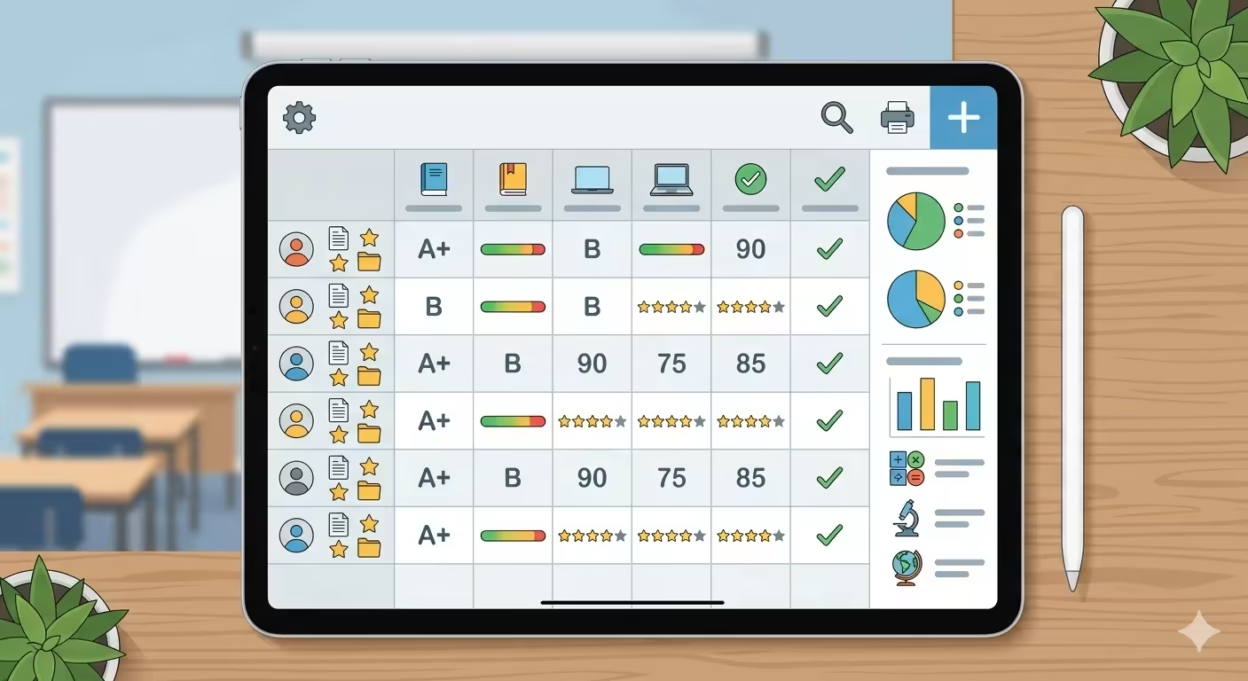
Grading doesn’t have to be a time-consuming, error-prone chore. The Easy Gradebook is your all-in-one solution to quickly and accurately calculate grades, track student performance, and align with your school’s grading policy—all with just a few clicks. Whether you’re managing quizzes, tests, or assignments, this tool eliminates manual calculations, provides instant results, and helps you focus on what matters most: teaching.
Try Our Free Easy Gradebook Calculator for Teachers
Enter total questions and wrong answers — get your grade instantly
Key Takeaways
- Use the free easy gradebook calculator at the top of this page to instantly convert points, weights, and percentages for any class—no login required.
- This guide covers the three main grading systems (points-based, weighted, standards-based), common grading scales, and how to choose what works for your classroom.
- Google Classroom, PowerSchool, and Infinite Campus each have strengths, but AI-powered platforms like Notie AI now combine gradebook functionality with automatic grading, cutting essay grading time by 30-70%.
- Concrete examples for elementary, middle, and high school show exactly how to structure categories, handle late work, and manage retakes.
- The article ends with practical strategies for edge cases and a focused FAQ addressing the real problems teachers face daily.
Table of Contents
Introduction: Why an “Easy Gradebook” Matters in 2026
I’ve been in classrooms for fifteen years. In 2010, my gradebook was a spiral-bound book with hand-drawn weighting charts and a calculator I’d stolen from the math department. Every quarter, I’d spend entire weekends recalculating averages for 120 students, praying I didn’t make arithmetic errors that would spark parent complaints.
By 2018, everything intensified. Admin wanted standards-based reporting, parents expected real-time portal access, and district offices demanded longitudinal data for audits. The grading process became more complex even as class sizes grew.
An easy gradebook isn’t a toy ez grader—it’s a complete workflow. Clear categories, consistent scales, fast calculations, and transparent communication. Try the interactive grade calculator at the top of this page right now: enter a scenario like “What happens if I drop the lowest quiz?” and see instant results.

How the Easy Gradebook Calculator on This Page Helps You
The on-page calculator accepts total points, earned points, category weights, and optionally a desired grade, then outputs the current average and what’s needed on upcoming tasks. It’s completely free and requires no account.
Here’s a typical use case: a 7th grade math teacher enters homework at 20%, quizzes at 30%, tests at 40%, and participation at 10%. Simply enter each student’s scores, and within just a few clicks, you see weighted averages without manual calculations. During mid-quarter progress reports in October, you can answer parent emails accurately in minutes by testing scenarios like dropping a 70% quiz to see if a student’s 82% rises to 84%.
Core Gradebook Structures: Points, Weighted, and Standards-Based Systems
Your gradebook structure determines how assignment scores translate to final grades. Choosing the wrong system creates confusion for families and inconsistency in your grading standards.
Points-based systems treat all assignments equally by total points. In 5th grade ELA, fifty homework points plus one hundred test points averages to 75% (150/200). The pitfall: extra credit can inflate grades by 5-10%, distorting a student’s performance.
Weighted category systems dominate 70% of U.S. secondary schools. An 8th grade science gradebook might use labs at 25%, quizzes at 25%, tests at 40%, and homework at 10%. This grading system reflects priorities but confuses parents when undisclosed.
Standards-based systems align to frameworks like Common Core, scoring 1-4 levels per skill. An 11th grade History teacher might tag DBQs to “analyze evidence” at level 2.5/4, converting to 62.5% only for report generation. The clash with traditional letter grade cards creates complications in hybrid districts.
Use the on-page calculator to translate between systems—converting a rubric score to a percentage score for reporting while keeping proficiency levels in your planning.
Grading Scales and Conversions: Making Your Gradebook Easy to Read
Transparent grading scales reduce email volume dramatically. When parents have 24/7 portal access through internet access, they expect clarity on how scores become the corresponding letter grade.
Common scales include:
- Traditional A-F (90-100 A, 80-89 B, 70-79 C, 60-69 D)
- Plus/minus systems (93-100 A, 90-92 A-)
- 4.0 GPA scales for college alignment
- Rubric-based 1-4 proficiency levels
Conversion example: A rubric score of 3 out of 4 on a 10-point assignment yields (3/4) × 10 = 7.5 points, or 75%. Document this in your syllabus as “rubric level × 25% = percentage” to cut disputes by 25-30%.
The easy grader calculator lets you test different cutoffs—like shifting the A range from 90% to 88%—before committing to a policy. This helps you quickly calculate grades under various grading systems.
Paper Gradebooks vs. Digital Gradebooks: Pros, Cons, and Transition Tips
Paper gradebooks offered tactile speed for jotting scores during class. But calculating running averages for 120+ students? Manual calculations led to errors in 20-30% of hand-calculated sums, and a lost gradebook meant disaster.
Digital gradebook advantages:
- Automatic calculations and instant recalculation when editing
- Filtering by assignment, standard, or student
- Cloning assignments across sections
- Cloud backups for data security and audits
By 2026, most districts require digital records for special education documentation and longitudinal tracking per federal ESSA guidelines, and modern AI grading tools integrate directly with these digital gradebooks.
Transition strategy: Keep using paper during class for quick notes, then batch-enter scores weekly. Use the interactive calculator as a bridge tool to verify your computer entries match your paper records. Pilot one class fully digital before migrating everything.
Online Gradebook Platforms: What Teachers Actually Need
The goal isn’t comparing every LMS—it’s identifying features that matter for daily grading and communication with users across your school community.
Google Classroom provides basic gradebook functionality with category weights and parent views. It’s district-locked in 40% of U.S. schools but lacks advanced filters and AI. A high school English teacher might sync scores here while using external grading tools for complex work, while relying on an all-in-one AI teaching platform for planning, analytics, and grading-heavy workflows.
PowerSchool excels in unified SIS-gradebook integration, supporting standards tagging and handling 30%+ weighted tests. Middle school science teams often use shared categories here for consistency across educators.
Infinite Campus offers elementary standards-based reporting and filtering by IEP goals. Teachers mapping standards for report cards find it useful, though the user interface frustrates 50% of teachers per surveys.
All three platforms have fixed scales and no native AI. External tools like Notie AI fill gaps for complex rubric scoring and what-if scenarios.
AI Gradebooks and Grading Assistants: How Notie AI Modernizes the Workflow
In 2026, an AI-powered gradebook isn’t just a grading chart—it reads student work, applies rubrics, suggests scores, and drafts feedback. This transforms the grading process for essays, projects, and open-ended assessments with instant AI grading for teachers.
Notie AI combines a flexible gradebook view with AI grading that respects teacher overrides. Unlike Google Classroom, PowerSchool, or Infinite Campus, which primarily store scores, Notie AI handles the actual grading of complex work using batch grading tools for teachers.
Concrete example: A 10th grade English teacher uploads 90 argumentative essays. Notie AI aligns them with a district rubric, auto-generates scores (suggesting 85% on counterargument strength, for instance), and creates feedback drafts. The teacher reviews and adjusts in 2 hours instead of 20—a time savings that transforms weekend grading.
Notie AI also produces class-level insights like “60% of students missed thesis strength,” helping you plan reteaching without hand-scanning dozens of papers.

Time-Saving Grading Strategies Using an Easy Gradebook
Grading time is finite. Teachers report spending 5-15 hours weekly on grading—time that could go to teaching, planning, or rest.
Batching strategies:
- Grade one question across all papers before moving to the next
- Use consistent comment banks (reduces feedback time by 40%)
- Sort and filter for late work in dedicated gradebook columns
Grade fewer, better tasks: Design fewer high-quality assessments with clear rubrics instead of many low-impact worksheets. Weight these heavily in your categories.
Use the easy gradebook calculator to experiment with dropping lowest scores, capping late penalties at 10% daily, or adding small completion grades without destabilizing averages. The exact percentage impact becomes clear before you commit.
For writing-heavy courses, use Notie AI’s AI essay grader for first-pass scoring. Your time shifts from mechanical scoring to conferencing and fine-tuning—where teaching actually happens.
Real Classroom Examples: Easy Gradebook Setups by Grade Level
Elementary (4th grade): A standards-linked gradebook ties assignments to reading, writing, and math standards. The teacher uses the calculator to map rubric levels (1-4) to report card marks, with each level representing 25% increments.
Middle school (7th grade science): Category-weighted system with labs at 25%, quizzes at 25%, tests at 40%, and homework at 10%. A sample week: lab score 18/20, quiz 22/25 = 88%. Notie AI for biology teachers speeds grading on short-answer lab questions.
High school (11th U.S. History): Mix of timed quizzes (20%), DBQs (30%), essays (30%), projects (10%), and participation (10%). Retakes replace 50% of the original score when averaged. Notie AI for high school teachers handles DBQ rubric scoring while the official record stays in PowerSchool.
Managing Edge Cases: Late Work, Retakes, and Extra Credit
The hardest part of an easy gradebook is exception cases—not routine scores.
Late work policies:
- Fixed percentage penalty (10% daily cap)
- Maximum grade ceiling (late work maxes at 80%)
- Separate “on-time work” category tracking punctuality
Retake strategies: Replace a portion of original scores (new 85% averaged with 70% yields 77.5%), or use retakes as evidence updates in standards-based systems rather than separate entries.
Extra credit: Dedicate a small 2% column for targeted tasks aligned to standards. Low-value extra credit prevents 5-10% distortions that create inequities.
Test how each policy affects a student’s average using the calculator before committing. This ensures accurate grades and consistency across your class.
Communication and Transparency: Using Your Gradebook to Reduce Conflict
A well-structured gradebook prevents many parent and administrator conflicts before they start.
Use gradebook screenshots in parent conferences and IEP meetings to show patterns over time—not just single scores. This documentation becomes valuable when questions arise about a student’s trajectory.
Build trust through predictability: Update every Friday afternoon. Parents and students learn when to expect changes, reducing “Are grades final?” emails. AI tools like Notie AI help you hit these deadlines reliably, even in writing-heavy courses.
Use comments and notes fields to record context—accommodations, absences, modified assignments—so future reviewers understand outlier scores. This easy reference prevents misunderstandings months later.
Why Notie AI is the Modern All-in-One Easy Gradebook for Teachers
Notie AI represents the next step beyond simple ez grader calculators and static gradebooks. It’s a combined gradebook and AI grading assistant built for teachers’ real workloads.
Set up classes, categories, and rubrics directly in Notie AI. Upload essays, short answers, or handwritten open responses. The system handles bulk grading with teacher oversight—you always have final authority over accurate results, while its snap-photo AI grading for teachers processes work in seconds.
Unlike single-purpose grading tools, Notie AI integrates AI scoring, feedback generation, and analytics into one workspace. During end-of-quarter crunch in December or May, process multiple major assignments in a single weekend with clear audit trails and export to your district LMS, reflecting the broader mission of the Notie AI grading platform.
My recommendation: Test Notie AI alongside your current system for one high-load task—like a writing unit or exam with multiple choice tests and short answers. Feel the time savings firsthand. You’ll wonder how you managed without it.
Frequently Asked Questions
How often should I update my online gradebook so it stays manageable?
Update at least weekly for active courses, with high-weight assessments entered within 3-5 school days. Batching data entry every Friday afternoon is more efficient than entering single scores throughout the day. Tell students and families your update schedule in advance—this eliminates “Are grades final?” emails after every quiz. AI tools like Notie AI make this cadence easier for writing-heavy courses that traditionally lag behind.
What’s the simplest way to start using AI in grading without losing control?
Start with low-stakes tasks: short-answer questions, daily writing warm-ups, or practice quizzes. Let AI suggest scores, then review them yourself. Always verify AI feedback—skim suggestions, adjust when needed, and spot-check work where AI gave surprisingly high or low marks. Notie AI makes rubric criteria explicit and teacher overrides easy. Document in your syllabus that AI may assist with scoring, but you remain responsible for all final grades.
How do I handle different grading policies across multiple preps?
Maintain separate gradebook templates for each context with clearly labeled categories and scales. Keep a planning document recording exact percentages, cutoffs, and late work rules for each prep. The easy grader calculator serves as neutral space to test how one department’s policies would behave in another course. Push for department-level alignment where possible while respecting necessary differences by grade level—this great flexibility helps track student progress across various grading systems.
Can I use a traditional letter-grade book while my school moves toward standards-based reporting?
Yes—use a hybrid approach. Record assignment-level percentages, but tag each assignment with one or two priority standards in notes or category labels. At reporting time, look at performance patterns on those standards rather than simple averages. Notie AI organizes student work by standard automatically, making consistency visible over time. Communicate this method to admin and parents so they understand why one low test doesn’t fully determine a standards-based mark.
What if my district’s LMS gradebook is clunky but required?
Use the district LMS as your official record while managing planning and complex calculations elsewhere. Enter scores into a personal working gradebook first, test weights and policies using the on-page calculator, then sync final scores to the district system in batches. Some teachers export CSV files from PowerSchool or Infinite Campus, manipulate them externally, then reconcile results. This preserves compliance while giving you the usability and AI support—through tools like Notie AI—that you need for day-to-day grading with immediate results and focus on teaching.
✨ Notie AI – The AI that corrects your papers