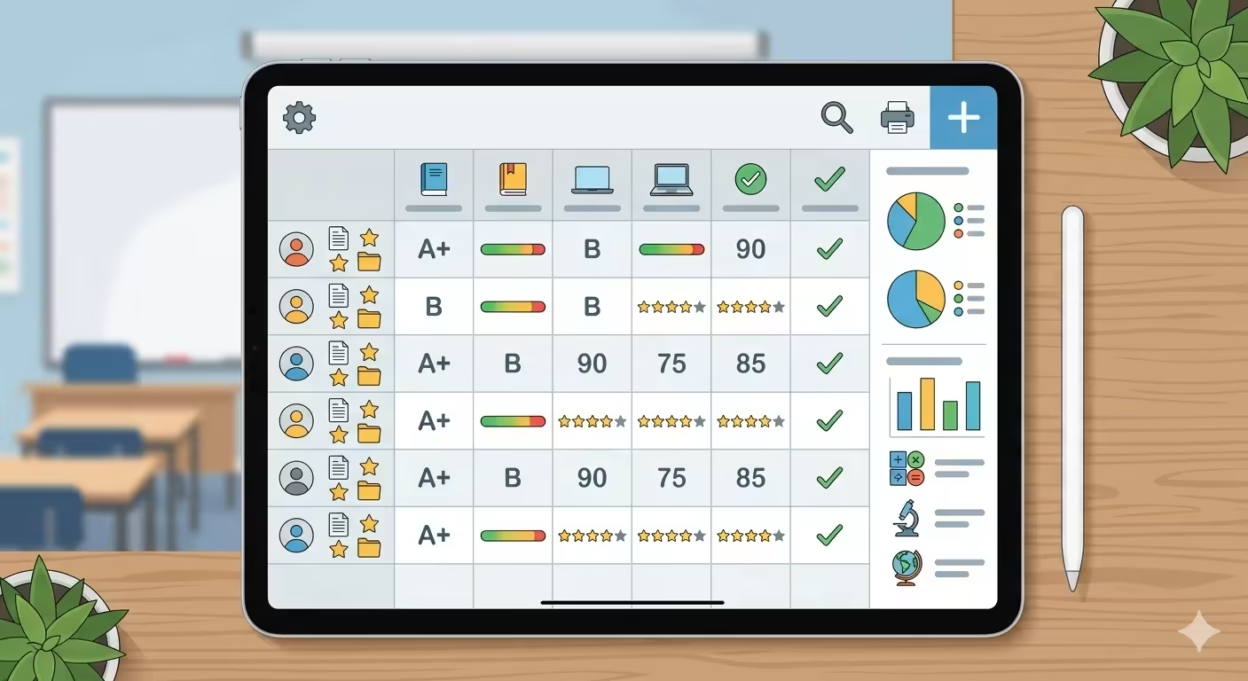
After twenty years in the classroom, I’ve learned that easy grading isn’t about cutting corners—it’s about building systems that work. This guide shares the concrete methods I use weekly to grade faster while maintaining accuracy and fairness. By implementing these strategies, teachers can reduce the time spent on grading without sacrificing the quality and consistency that students deserve. The key is to combine efficient teacher workflows with the right tools, such as modern grade calculators and AI-assisted platforms, which streamline the grading process and minimize errors. Over time, these approaches help create a sustainable grading routine that supports educators in every classroom, ensuring timely feedback and fostering academic growth across all subject areas.
Key Takeaways
- Easy grading combines smart grading schemes (rubrics, scales, batch feedback) with AI tools like Notie AI instead of old printed EZ Grader charts
- Modern grade calculators allow teachers to quickly calculate grades for tests, assignments, and quizzes, streamlining the grading process
- Teachers can cut grading time for objective tests by 50% and for essays by 30-70% using clear rubrics plus AI-assisted feedback while staying aligned with school policies
- The focus here is teacher workflows only, with real classroom examples like grading a 30-question quiz or a 5-paragraph essay
- Modern AI grading tools have replaced traditional easy graders, functioning as versatile grade calculators that handle both scores and feedback generation
- This article includes practical routines, policy compliance guidance, and FAQ covering common concerns
Table of Contents
Why Easy Grading Matters in 2026 Classrooms
I remember Sunday nights staring at 150 quizzes from five sections, calculating each percentage score by hand. That changed when I adopted streamlined systems. Since 2020, expectations for timely feedback through online gradebooks and parent portals have made manual grading unsustainable for educators managing 120+ students.
Automated grading tools and calculators deliver accurate results, save teachers significant time by eliminating manual calculations, and provide instant feedback to both teachers and students.
The grading process becomes manageable when you approach it through three pillars: choosing the right method for each task, standardizing your grading scale, and using automation wherever allowed. This approach maintains rigor and standards alignment—it’s about process efficiency, not lowering expectations. Using a grading calculator and modern AI grading tools improves grading accuracy and consistency by eliminating manual calculation errors, ensuring correct scoring and reliable results.
Core Grading Methods Every Teacher Should Streamline
Not all work deserves the same grading treatment. Quick-check grading works for daily work like bell-ringers (complete/incomplete in 30 seconds per student). Rubric-based grading handles essays and projects efficiently. Completion grading with spot-check sampling covers practice assignments where you verify 20% of items.
A 10-question exit ticket should be graded as complete/incomplete, while a unit test gets scored for correct or incorrect answers. For instant grade calculation, make sure to enter the total questions and the number of correct answers to ensure accurate scoring. Create a one-page “Grading Playbook” listing each assignment type, default point value, and method used. Stop deciding case-by-case—that’s where time disappears.
Fast Grading Scale Schemes That Actually Work
Consistent grading scales speed decisions and reduce disputes because you’re following a pre-set scheme. Most schools use letter grades with A = 90-100%, B = 80-89%, matching your 2024-2026 handbook. Grading systems and scales can vary significantly between schools, and teachers can customize grading scales to align with their specific grading policies.
Pick point values that divide cleanly: 20-point quizzes (each item = 5%), 25-point quizzes (each = 4%), 50-point tests (each = 2%). This eliminates odd decimals and manual calculations. Adopt your department’s weighting formula—typically 10% homework, 40% assessments, 30% projects, 20% participation. Keep conversion tables near your laptop, though AI tools now generate these instantly. A grade calculator can help educators quickly convert raw scores into percentage scores and letter grades, supporting various grading systems and making easy grading even more efficient.

Easy Grading for Objective Tests
Objective tests are where you reclaim the most time. For grading multiple papers on a 30-question quiz across five classes, here’s my workflow: upload scans to your digital tool, apply your answer key, and let it identify wrong answers automatically. Easy grader work involves using a grading calculator that simplifies converting correct answers into percentages and letter grades, eliminating manual calculations and ensuring consistent results.
Standardize your process—always record total number of questions and number wrong, then reference your grade chart. Pre-plan assessments with easy divisors (10, 20, 25, 40 questions) so percentage conversion becomes intuitive. An easy grader calculator or AI tool can auto-generate a full grade chart showing 0-30 missed on a 30-item quiz, delivering immediate results without recalculating each paper.
EZ Grader is an easy online grading calculator that helps you quickly grade tests and quizzes. It instantly calculates the percentage score and letter grade based on the total number of questions and wrong answers. EZ Grader is designed for grading based on total questions, not weighted or point-based systems, and provides instant feedback by calculating grades immediately after entering the total points and correct answers.
Rubrics and Checklists for Faster Essay and Project Grading
Written work consumes the most grading time, but clear rubrics provide instant results once established. Design a 4-level rubric (Advanced, Proficient, Developing, Beginning) with criteria like Thesis, Evidence, Organization, and Conventions.
For a Grade 8 persuasive essay in language arts, I use 4 points per criterion across 5 criteria—a 20-point rubric converting cleanly to percentages. For projects and labs, checklists work faster than narrative comments: “hypothesis present,” “data table complete,” “graph labeled.” Reuse rubrics across the school year, and consider an AI essay grader with rubric-aligned feedback to apply those criteria consistently. Students understand expectations, grading becomes mechanical, and you focus energy on teaching.
How AI Has Replaced Traditional Easy Graders
Remember laminated EZ Grader cards? I kept one in my desk drawer for years. Traditional tools like an ez grader calculator only convert scores to percentages, but instant AI grading platforms now analyze writing, align to rubrics, and generate draft feedback.
My 2026 workflow: upload student work, apply a stored rubric, and let AI grading tools that assess work in about 30 seconds suggest scores and comments. I review and adjust—teachers remain final decision-makers. Many districts now reference AI in assessment guidelines, requiring transparency and human oversight rather than banning tools outright. This improves accuracy while saving time.
Using Notie AI for Easy, Accurate Grading
Notie AI’s AI grading platform helps teachers grade faster while staying within their own rubrics and school policies. As part of a broader AI teaching platform for grading and planning, I upload essays from my 9th-grade history class, define my rubric (criteria, point values, performance levels), and the tool grades according to my standards.
The workflow: select class, choose rubric, click “Grade All,” skim suggested scores and feedback, approve or adjust, export final grades to your gradebook. Benefits include batch grading an entire class in minutes, consistent rubric application, reusable comment banks, and partial credit logic. The flexibility makes it work across subjects.

Practical Time-Saving Grading Routines
Tools only help when embedded in routines. My weekly plan: Monday/Wednesday quick-assignments graded same day, Friday assessments batched over two sessions with AI, gradebook updated by Sunday evening.
Batch similar tasks—grade all Question 1 responses before Question 2. Use two 25-minute grading sprints with clear goals: “grade 20 exit tickets” or “review AI-suggested scores for Period 3 essays.” Finalize rubrics before assigning work, pre-create gradebook categories, and set due dates giving at least one planning period before grades are needed. This determines your progress without weekend marathons.
Student Involvement in the Grading Process
Empowering students to take part in the grading process transforms how they view their academic performance. When students understand how their scores are calculated—whether it’s for a quiz, homework, or final exam—they become more invested in their learning journey. Tools like the Easy Grader and EZ Grader calculator make this transparency possible for both teachers and students.
With an easy grader online tool, students can simply enter the total number of questions and the number of correct or incorrect answers to instantly see their percentage score and corresponding letter grade. This immediate feedback helps students grasp where they stand on the grading scale and what’s needed to reach their goals. For example, after completing a test, students can use the calculator to convert their raw scores into a percentage, compare it to the class grading scale, and determine their letter grade—all without waiting for manual grading.
Teachers can encourage students to use these tools to double check their own work, set targets for improvement, and understand how each assignment contributes to their final grades. This collaborative approach not only saves time for educators but also builds student confidence and accountability. By making the grading process more transparent and accessible, the easy grader calculator becomes a valuable resource for fostering a growth mindset and supporting academic success in every classroom.
Maintaining Fairness and Policy Compliance
Speed cannot compromise fairness. Share rubrics and grading scales with students ahead of time so using tools executes a known plan. Periodically double check AI scores across demographic groups to verify consistency.
Document your grading procedures for administrators and PLCs, showing human judgment remains central. Keep a small log of grade overrides with reasons—this demonstrates professional oversight beyond automated suggestions and supports data-driven decisions about academic performance.
Common Grading Mistakes That Make Work Harder
These lessons came the hard way. Stop grading every single practice problem—use completion grading with sampling. Avoid unique rubrics for every task; reuse structures and tweak descriptors. Never change scales mid-year—the recalculation chaos isn’t worth it.
Underusing technology remains the biggest mistake. If you’re still doing mental math for a final exam or writing identical comments across multiple assignments, you’re working harder than necessary. Start with one change: automate objective tests this week, then adopt AI feedback for one writing unit next month. Simply enter one new tool into your workflow at a time.
FAQ
These questions come up regularly in department meetings and PD sessions about easy grading and AI tools.
Is it acceptable to use AI tools like Notie AI for grading in my school?
Policies vary by district and union contract—check your 2024-2026 technology guidelines. Most schools allow AI as a draft assistant when teachers review and remain final authority on grades. Disclose generally to students that AI supports streamline feedback while human judgment decides final grades.
How do I keep AI-generated feedback from sounding robotic?
Train your tool by providing sample comments in your own voice and specifying tone. Edit a few comments per batch to add personal details, then save those as templates. Keep feedback to 2-4 sentences and action-oriented—it reads more like a teacher’s note. This online tool approach works across exam types and quizzes.
How do I handle partial credit with easy grading tools?
Assign each step a clear point value (0.5 or 1 point) and let calculators or AI apply the math after you choose step scores. Simplify structures where possible—2 or 4 points per item converts more cleanly than 3.5. Tools like Notie AI apply weighted rubrics once you define rules clearly, converting to exact percentage and possible scores automatically.
Will using AI reduce my professional autonomy?
AI tools are optional supports that don’t change curriculum or GPA policies. You can override any suggested score, use AI only for certain tasks, and grade others entirely by hand. Think of it like calculators or spreadsheets—tools removing repetitive calculations so you focus on input that matters: instruction, relationships, and high-level feedback for your classroom.
How can I transition from traditional easy graders to AI without overwhelm?
Begin with one low-stakes assignment using AI only to generate suggested comments while manually assigning scores. Gradually add features like full rubric-based scoring after you’re comfortable reviewing outputs. Set a clear time limit—one planning period experimenting—so exploration doesn’t add to burnout. This easy grader online tool approach is completely free of stress when taken step by step.
✨ Notie AI – The AI that corrects your papers