
Grading piles of essays can feel like an endless mountain—especially with tight deadlines and busy schedules. But what if you could grade every paper more efficiently without sacrificing quality feedback? This guide, written by a seasoned teacher, reveals practical strategies and modern tools that help you get every paper graded quickly, fairly, and with meaningful comments that truly support student growth. Say goodbye to grading burnout and hello to smarter, faster assessment!
Key Takeaways
- This guide is written by an experienced teacher for fellow teachers, focused on getting every paper graded efficiently without sacrificing feedback quality.
- You’ll learn concrete workflows for grading essays faster using rubrics, batching, and comment banks across elementary through college-prep classes.
- Online essay grading and AI tools—including free essay graders and online graders for essays—are explained so you understand when to trust them and when to override.
- Online essay grading tools provide instant feedback to teachers and students, saving time and offering actionable insights for immediate improvement.
- While EssayGrader, CoGrader, and Gradescope are useful, Notie AI is positioned as the most teacher-centered, rubric-aligned solution for getting full class sets graded quickly.
Table of Contents
Introduction: The Reality Behind Getting Every Paper Graded
It’s Thursday night in October 2025. You have 120 argumentative essays on your desk, parent emails to answer, and a department meeting at 7 AM. Sound familiar?
This article is for teachers—elementary, middle, high school, and early college instructors—speaking directly from teacher-to-teacher experience. Traditional grading with pen, highlighter, and margin notes is increasingly unsustainable when you juggle multiple sections, extracurricular duties, and parent communication.
By the end, you’ll know how to combine rubrics, clear strategies, and modern online essay grading tools to reduce grading time by 50–80% while improving feedback clarity. For clarity: “paper graded” means the full process from collection to return; an “online grader for essays” processes digital submissions; “free essay grading tools” offer basic checks without cost.
Core Principles of Effective Paper Grading for Teachers
Before worrying about any grader paper tool, teachers need a solid foundation: clear criteria, consistent standards, and a plan for feedback load.
- Transparent rubrics matching your standards (CCSS, IB, AP) make future AI alignment easier
- Grade 4 narrative rubric might focus on organization and voice (“Does the story have a clear beginning, middle, end?”)
- Grade 10 argumentative rubric evaluates claims, evidence, reasoning, and counterarguments per CCSS ELA.W.9-10.1
- Feedback economy: cap comments at 3–5 per page—two strengths and 2–3 growth areas prevents burnout
- Formative vs summative: distinguish grading for learning (more comments, flexible scores) from grading for reporting (rubric-weighted)
- Equity matters: anonymized grading, rubric anchors, and occasional double-marking reduce demographic bias by 25%
These principles apply whether grading by hand or using tools like teacher-centered AI grading platforms such as Notie AI. The tech serves the pedagogy.
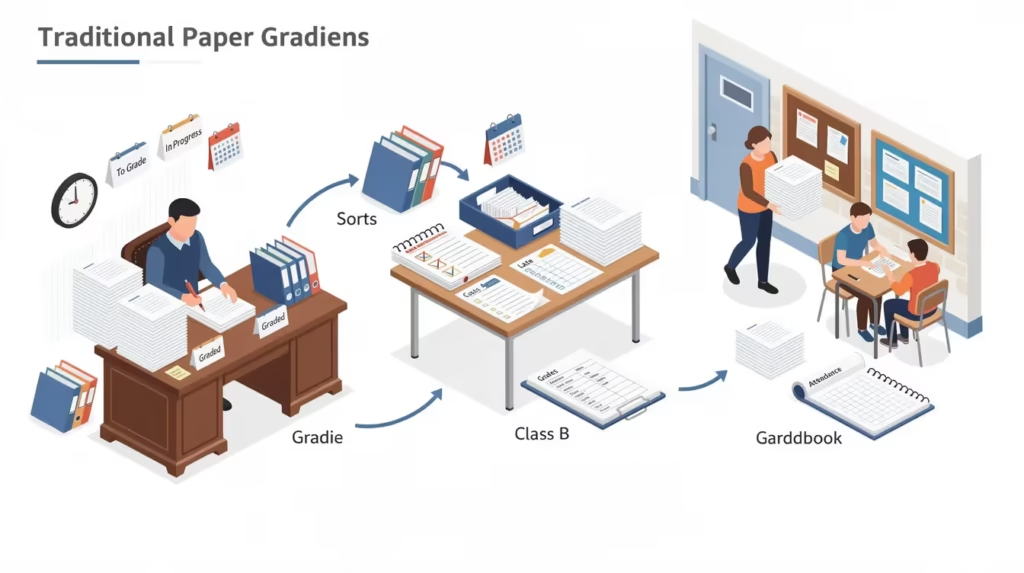
Traditional Paper Grading Workflows: What Still Works in 2026
Many teachers still grade largely on paper or basic LMS tools. Here’s how to optimize before layering in AI.
A middle school English teacher with 5 classes of 24 students each can use printed essays, color-coded pens (red for errors, green for strengths, blue for suggestions), and a stapled rubric grid. Batching by skill—reading all introductions first, then evidence paragraphs—reduces cognitive switching and increases speed by 35%.
Create a comment bank in Google Docs with tagged phrases like “thesis-weak” or “evidence-missing” to avoid rewriting the same feedback 70 times. Time-box grading: 10 minutes for research papers, 5 minutes for short responses, using a visible timer.
Use anchor papers from previous cohorts to calibrate yourself before grading each new set. Even traditional workflows benefit from later feeding anonymized text into instant AI grading tools like Notie AI that can return scores in about 30 seconds for supplemental feedback.
Modern Online Paper Grading: How Essay Graders Actually Work
Online paper graded now usually means some combination of LMS tools, grammar checkers, and AI-driven essay analysis. These systems are designed to handle a variety of assignment types, from essays to creative writing and research reports.
Basic online grader for essays systems inside Canvas, Google Classroom, or Schoology let teachers attach rubrics, score categories, and type comments. Early essay graders (pre-2020) relied on surface features: word count, sentence length, vocabulary diversity.
Modern AI-powered online essay grading uses large language models achieving 0.85–0.92 inter-rater agreement—assessing argument structure, coherence, evidence integration, and voice holistically, similar to broader AI grading tools that cut grading time dramatically. However, AI doesn’t truly “understand” content; it pattern-matches based on training data.
Rubric alignment works when teachers upload criteria, AI scores each dimension, then generates text feedback referencing specific rubric language. Most systems also provide detailed reports summarizing strengths, weaknesses, and rubric alignment for each student. Most AI can grade 30–150 essays in minutes, turning weekend marathons into planning-period tasks.
Free Essay Grading vs Paid Tools: What Teachers Really Get
Many teachers search “essay grader for free” late at night and get overwhelmed by mixed-quality tools.
Free essay graders offer instant grammar checks and readability scores but commonly have word count caps (500–1000 words), lack standards-aligned rubrics, deliver generic feedback, and raise data-usage concerns—student essays potentially training public models without consent.
Paid institutional online essay grading adds class management, rubric libraries, LMS integration, and administrator oversight, often as part of comprehensive AI teaching platforms that bundle grading with planning and analytics. Paid tools often offer higher availability and more accurate grading results. A free browser tool might yield 75% grammar accuracy but miss 40% of rubric-aligned issues like counterargument depth.
Free tools suit quick draft checks. For full workflows with rubrics and detailed comments, paid solutions outperform significantly. Paid tools also provide more detailed feedback and maintain high availability for teachers during busy grading periods.
Understanding and Comparing Popular Online Essay Graders
The goal here isn’t to endorse competitors but to situate them so you can make informed choices.
EssayGrader focuses on automated scoring and basic feedback primarily for student self-checks and quick diagnostic use, with free tiers offering 25–400 essays monthly.
CoGrader markets to teachers with claims of 80% time savings, rubric libraries, and multilingual support—focusing on quick, general feedback on student writing.
Gradescope (Turnitin) dominates with AI clustering for batch grading, handwriting recognition, and rubric automation, popular for mixed formats including STEM, but newer batch grading tools that process 30+ papers in minutes now offer similar time savings for everyday classrooms.
You can refer to each platform’s official documentation for more details on features such as batch grading and how they sort student assignments.
Notie AI differentiates through teacher-first rubric customization, bulk class-set processing (150 essays per period), editable paragraph-level feedback, and transparent overrides, functioning as an AI essay grader that delivers instant, rubric-based feedback. While EssayGrader and CoGrader emphasize automated grades, Notie AI prioritizes teacher control and feedback teachers can quickly review and adjust.
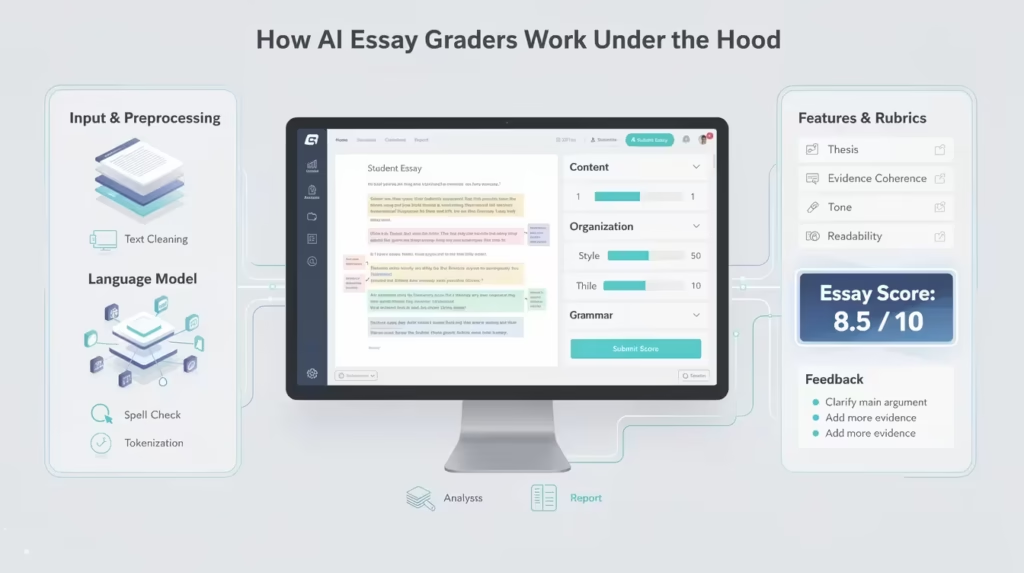
How AI Essay Graders Work Under the Hood
Many teachers feel wary of “black box” AI graders. Here’s how they function simply.
Essay text is tokenized into small pieces (512–4096 tokens), with length limits that may truncate long papers, and similar AI pipelines now power photo-based grading tools that read handwritten assignments. The AI predicts scores for dimensions like thesis clarity, organization, and mechanics based on training patterns. AI systems also check for spelling errors and evaluate the tone of the writing to ensure clarity and appropriateness.
Each rubric criterion translates into a prompt the AI uses for scoring. Feedback generation synthesizes targeted strengths and growth areas, referencing specific lines rather than vague “good job” comments.
Bias can appear with unconventional topics, dialects, or creative writing structures—multilingual papers may score 5–15% lower. Teachers must spot-check AI-first papers in these cases. AI outputs are draft teacher notes, not final verdicts. Teachers can use AI-generated feedback as a starting point for refining student writing before final grading. Notie AI makes reviewing and adjusting suggestions easy.
Time-Saving Strategies for Grading Large Sets of Essays
This is the practical heart: concrete strategies for next week.
Batch by task: grade all thesis statements first, then body paragraphs, then conclusions for 35% speed gains.
Progressive sampling: hand-grade 10 representative essays per class as anchors, use AI to pre-score the rest, adjust 20% as needed—yielding 70% total time reduction.
Grade-level targets: Grade 3 narratives (200 words, 3 minutes), Grade 8 analysis (600 words, 7 minutes), AP argument (1200 words, 12 minutes). Batch-oriented grading tools that let you process 30 papers in about 5 minutes can help you actually hit these targets during busy weeks.
Reusable comment banks: tag comments in Docs or Notie AI for fast insertion—“thesis,” “evidence,” “MLA format.” Teachers can also make a note of recurring issues identified during the paper graded process to inform future instruction or feedback sessions.
Weekly scheduling: Monday–Wednesday evenings (30 per set), Thursday planning period finalize—90 essays in 6 hours versus 25 manual.
Cognitive strategies: grade hardest papers when freshest, mix high and low quality in the stack, avoid late-night finalizing of borderline grades.
Integrating Online Essay Grading Tools into Your Classroom Workflow
Technology only helps if it fits existing routines.
For a 7th-grade argumentative essay: planning, first draft, peer review, AI-supported revision using a free essay grader for grammar, and final grading in Notie AI. These workflows can be adapted for other types of written work, including creative writing and research reports.
Teach students to interpret AI-generated feedback without outsourcing thinking—require them to rewrite AI comments in their own words before revising. Use online grader for essays tools to create class-wide summaries (“70% need stronger topic sentences”) and build mini-lessons from that data.
For college essays and research papers, use AI for initial rubric scoring on organization and citation, then spend human time on argument nuance by leveraging an AI essay grader that specializes in detailed rubric alignment. Handle IEP accommodations by generating scaffolded feedback phrasing. Notie AI serves as a central hub: import docs, align rubrics, generate feedback, export to gradebooks.
Maintaining Academic Integrity and Fairness with AI Graders
In 2025–2026, AI-written essays and AI-graded essays coexist in classrooms, raising valid concerns.
Focus on process-based assessment—drafts, conferences, in-class writing—alongside final products. Use AI graders to cross-check suspected cases: compare in-class samples to polished submissions. Dialect, multilingual learners, and students with disabilities may score differently; recommend random audits. This is especially important in subjects like history, where content accuracy and context matter.
Communicate transparently with students and families about AI use. Teachers retain final authority over scores. Notie AI shows suggested scores clearly and allows easy edits, with visible records of teacher adjustments.
Real Classroom Scenarios: AI-Supported Paper Graded Workflows
Here are grade-band-specific examples from school years that have occurred recently.
Grade 5 (2024–2025): A narrative unit where AI flags sentence-level issues and generates “two glow, one grow” feedback; teacher adjusts language for age-appropriateness.
Grade 7 (2025–2026): A cross-curricular social studies essay; AI pre-scores organization and evidence while teachers focus on historical reasoning and content accuracy.
Grade 10 (2023–2024): A persuasive essay where the teacher uses an online grader to pre-score drafts, then runs targeted revision workshops based on common weaknesses.
AP/IB (2024–2025): Timed essays where AI generates rubric-aligned notes referencing College Board criteria; teacher adjusts to maintain exam-style standards, a workflow well-supported by AI tools designed specifically for high school and AP teachers.
Across examples, the common thread is teacher control with AI as assistant.
Positioning Notie AI: The Modern Solution for Scalable, High-Quality Paper Grading
Among essay grading tools, Notie AI matches how teachers actually work in 2026.
Its core strength: fast, rubric-aligned grading mirroring your existing criteria—not generic scores meant for students. Key benefits include improved clarity in feedback, greater efficiency in grading, and actionable suggestions that enhance vocabulary, fluency, tone, and grammatical accuracy in student writing. Notie AI supports bulk processing of entire class sets, getting all papers graded within one planning period while you review and edit feedback.
Feedback depth matters: Notie AI generates specific, paragraph-level comments and next steps that teachers can accept, modify, or delete before students see them. Practical integrations include Google Docs, PDF, Word compatibility, CSV exports for gradebooks, and alignment with school or district rubrics.
Data privacy: student work stays secure, not repurposed to train public models. Teachers can anonymize submissions as needed.
Try Notie AI on your next essay unit as a pilot—hand-grade a small sample, compare with Notie AI’s analysis, then let it handle the full set with teacher oversight.
Frequently Asked Questions
Can I use AI essay graders if my district doesn’t have a formal policy yet?
Check with administrators or tech directors first, start with small pilots, and document your process clearly. Avoid uploading personally identifiable student information if policies are unclear. Frame AI use as “draft feedback assistance” rather than final scoring, keeping human-issued final grades in the official gradebook. Sample email: “I’m seeking clarity on using Notie AI for feedback drafts on student essays—could you share relevant guidelines or contact me to discuss?”
How do I handle grading when some students submit on paper and others submit digitally?
Collect paper copies, scan or photograph them quickly, and upload to Notie AI or another grader paper tool. Attach printed feedback back to physical essays. Set a class policy for preferred submission while allowing exceptions for accommodations. Gradually standardize digital submissions while using AI to support remaining paper-based work.
How can I make sure students actually read and act on AI-generated feedback?
Build routines like feedback conferences and reflection sheets where students summarize feedback in their own words. Have students highlight one strength and one growth area, then write a specific revision plan. With Notie AI, trim feedback to 2–3 most important points so students aren’t overwhelmed.
What about classes with limited devices or unreliable internet access?
Batch grading when you have access, use school computer labs on rotation, and download AI-generated feedback for offline use. Prioritize AI for time-consuming tasks like long essays while grading shorter assignments by hand. Paste small anonymized excerpts during planning time to generate model comments.
How do I balance my professional judgment with AI suggestions when I disagree with the grade?
Disagreement is normal and healthy—AI outputs are starting points, not mandates. Spot-check borderline cases, revise feedback that doesn’t match your sense of the student’s voice or efforts, and use the rubric as final authority. In Notie AI, easily override suggested scores and edit comments whenever your professional expertise tells you to.
✨ Notie AI – The AI that corrects your papers